

Nwiro AI Pro just got a more important upgrade than another model badge. Version 1.1.12, released September 25, adds GPT-6 Sol and Luna, Claude Opus 5.5, undo for tool changes, and safer file access. The new models are nice. The last two features are the reason Unreal developers should pay attention, because an AI agent that can touch a real project needs a reliable way back when it gets clever in the wrong direction. View the Nwiro UE5 assistant on Fab.
This is not another browser chatbot wearing a game-dev hoodie. Nwiro AI Pro lives inside Unreal Engine, can work against project context, and exposes tools for Blueprints, materials, PCG, animation, Niagara, Sequencer, GAS, level work, C++ and more. The current Nwiro site lists 224 tools across 37 areas of Unreal. That makes the real buying question simple: does this reduce enough editor busywork to justify recurring AI usage costs? Get the Nwiro UE5 assistant on Fab.
Nwiro AI Pro 1.1.12 makes the agent safer, not just smarter
The September 25 release of Nwiro AI Pro adds current OpenAI and Anthropic model options, but the practical upgrade is undo for tool changes and safer file access. That matters because the assistant is designed to do things, not merely describe them. If an agent edits a Blueprint, changes a material, modifies an actor, or writes project files, recovery is part of the feature set, not a nice extra. Check the current Nwiro listing on Fab.
Nwiro’s release history also shows a fast update cadence. Version 1.1.11 arrived September 12 with improved agent orchestration and Unreal and Blueprint tools, while earlier 2026 releases added real-world landscape generation, image-to-HDRI workflows, macOS support, Blueprint diagnostics, animation support and more. Fast shipping is encouraging, but it also means the product is moving quickly enough that old store copy can fall behind. See the current Nwiro listing.
What Nwiro AI Pro can actually do inside Unreal Engine
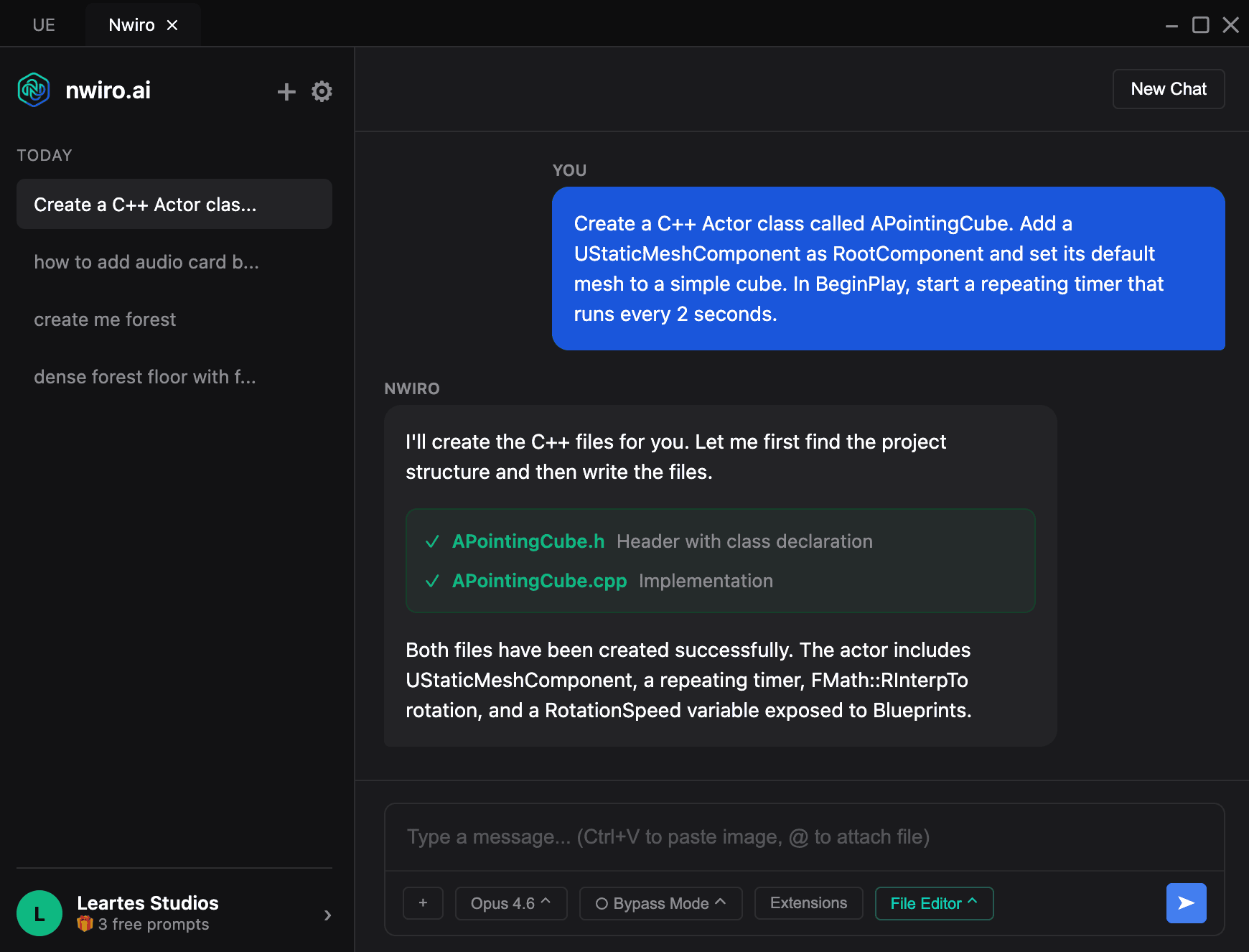
Nwiro AI Pro is broad enough that “AI coding assistant” undersells it. Its current tool catalogue covers Blueprints, materials, animation, IK rigs, motion matching, Niagara, Sequencer, navigation, networking, World Partition, GAS, PCG, UMG, DataTables, physics and runtime PIE control. It can also generate C++ classes and inspect project assets through editor context instead of forcing you to explain every object from scratch. Open the Nwiro UE5 assistant on Fab.
The world-building side is where Nwiro AI Pro gets more interesting for small teams. It can use meshes already in your Content Browser, generate PCG-based biomes, place content with density and collision rules, create real-scale terrain from elevation data, generate HDRIs, and iterate on the result conversationally. That is useful because the expensive part of environment work is often not placing one tree. It is repeating a hundred tiny setup and iteration decisions until the scene finally feels intentional. Try the Nwiro UE5 assistant from Fab.
That still does not make one prompt equal one finished level. We have already argued in our Meshy Mora and 7.1 coverage that AI world generation only becomes genuinely useful when the result is editable, structured game content underneath. The appeal here is that the assistant works inside the engine and against project assets, so the output remains part of a normal production workflow instead of becoming a pretty dead-end render.

The production problem is context switching
The best case for Nwiro AI Pro is not “make my game for me.” It is “stop making me leave the editor for every irritating problem.” A solo developer can lose ridiculous amounts of time bouncing between Unreal documentation, forum posts, code assistants, Blueprint graphs, Content Browser searches and test runs. An assistant that can inspect the project and then perform editor actions has a chance to remove that friction. See the Nwiro UE5 assistant on Fab.
That is also why experienced developers may get more value than complete beginners. A beginner can ask for a feature and celebrate when it appears to work. An experienced developer is more likely to know what should be generated, notice when architecture is getting weird, reject a bad approach, and use the agent for scaffolding, diagnosis and repetitive implementation. The tool saves more time when the human still knows what “good” is supposed to look like. Check current Nwiro access on Fab.
Nwiro AI Pro pricing: free plugin, paid AI usage
The Nwiro AI Pro plugin itself is currently free on Fab. Nwiro’s current pricing page lists five one-time free prompts with no card required, then paid plans for ongoing usage. Starter is $12 per month, or $9 per month when billed annually at $108. Plus is $48 monthly, or $36 per month billed annually at $432. Studio is $192 monthly, or $144 per month billed annually at $1,728. Paid-plan credits roll over while the subscription remains active. Get the Nwiro plugin free on Fab.
Nwiro says one credit equals $1, which makes the budget question easier to reason about than mystery-token math. But there is still no universal “cost per feature” because tasks vary. A cheap assistant becomes expensive if you repeatedly regenerate a scene because the first three prompts were vague. The free prompts are best used like a benchmark: give the assistant one real task you already understand, measure the time it saves, and only then decide whether recurring credits make financial sense. Open the Nwiro UE5 assistant on Fab.
There is no limited-time sale deadline attached to this story. The value proposition is the current free plugin plus paid usage plans, not a countdown timer. That is actually useful here because you do not need to impulse-buy an AI workflow before dinner. Test it against a disposable branch or prototype and make it earn a place in your toolchain. Try the Nwiro plugin on Fab.
What if you already pay for Claude or ChatGPT?
Nwiro Integration Kit is the more interesting alternative for developers who already pay for an external AI coding subscription and want Unreal access without buying Nwiro credits. Nwiro describes it as a one-time perpetual licence that connects Claude Code, Codex CLI and other MCP-compatible clients to its editor tool surface. You still pay your chosen AI provider, and optional external generation services can have their own costs, but Nwiro itself does not add subscription or credit fees for the kit. Compare Nwiro Integration Kit on the official product page.
The tradeoff is that Nwiro Integration Kit is the bring-your-own-AI route, while the Pro product bundles a managed assistant experience plus advanced features such as landscape, HDRI and advanced PCG workflows. If your main goal is “let Codex or Claude operate Unreal,” the one-time kit deserves a look before committing to another monthly plan. If you want the more guided world-building stack and managed model access, Pro is the more direct package. See Nwiro Integration Kit details.
The caveats are unusually important for an agentic editor tool
First, Nwiro AI Pro is still described by Nwiro as an alpha product. The company says generated outputs belong to the user and can be used commercially, but developers remain responsible for the licences of meshes and other third-party assets already inside the project. In other words, AI placement does not magically launder an asset licence. Review the Nwiro listing on Fab.
Second, Nwiro says project content is not used to train its models, but its services process data in Türkiye and Germany, and the FAQ explicitly recommends keeping NDA-protected or confidential information out of prompts. Studios should treat that as a real pipeline decision, not a checkbox they discover after connecting a client project. Each team member also needs their own subscription for the managed Pro service. Check the Nwiro listing before connecting a production project.
Third, the documentation is moving faster than some storefront copy. The official Nwiro release history says version 1.1.12 shipped September 25 and earlier releases added UE 5.8 and macOS support, while the Fab description visible at the time of writing still labels itself v1.1.7 and contains older notes such as three free credits and macOS being in progress. Nwiro’s current FAQ says Pro supports Unreal Engine 5.6+, while its release history also documents compatibility work for 5.5. If your project sits on a specific engine version, verify the current support page before installing. Open the current Nwiro listing.
Community feedback: useful, but not magic
Nwiro AI Pro currently shows 4.7 out of 5 from 114 Fab ratings, while Nwiro’s own site aggregates additional Cosmos feedback. The useful pattern in those reviews is not “AI made my whole game.” Developers repeatedly praise faster world-building, Blueprint help, debugging and reduced repetitive work, while some also mention bugs, prompt trial and error, and the fact that iteration consumes credits. That is a much healthier signal than a page full of impossible one-click promises. Read the Nwiro reviews on Fab.
One of the more grounded pieces of feedback says the tool is helpful for smaller-scale environment work but is not yet something the reviewer would trust to create a complete environment without substantial review and iteration. That is probably the right mental model for any agentic game-dev tool in 2026: use it to accelerate judgment, not replace judgment. Try the Nwiro plugin from the official Fab listing.
Who should actually try Nwiro AI Pro?
Nwiro AI Pro makes the most sense for Unreal solo developers, technical artists and small teams that already spend serious time in the editor and can identify repetitive work worth delegating. World-building, Blueprint scaffolding, material setup, debugging, project inspection and quick C++ generation are all plausible time savers. The free installation and free prompts make the initial test low-risk. Get the Nwiro plugin on Fab.
It makes less sense if you expect five prompts to produce a shippable open world, if recurring AI spend already annoys you, or if your team cannot review the changes an agent makes. The best outcome is boring in the nicest possible way: fewer repetitive clicks, fewer documentation detours, faster debugging, and more time spent on the parts of the game that actually need human taste. Check the Nwiro plugin on Fab.
Verdict: the safety upgrades are the headline
The most interesting part of Nwiro AI Pro 1.1.12 is not that the model menu got newer. It is that the agent got undo support for tool changes and safer file access. Smarter agents are useful. Smarter agents with better recovery are useful in a real project. That is the direction game-development AI needs to move if it wants to become infrastructure instead of a demo. View the Nwiro UE5 assistant on Fab.
Our call: install it free, give the five free prompts a real production task, and judge it by time saved rather than by how impressive the first generated scene looks. If it reliably removes an hour of ugly work from your week, the paid plans become a business decision. If it merely creates more cleanup, the uninstall button is also free. Get the Nwiro plugin on Fab.

