
A flashy AI demo is easy to make. A workflow that can survive contact with an actual game project is much more interesting.
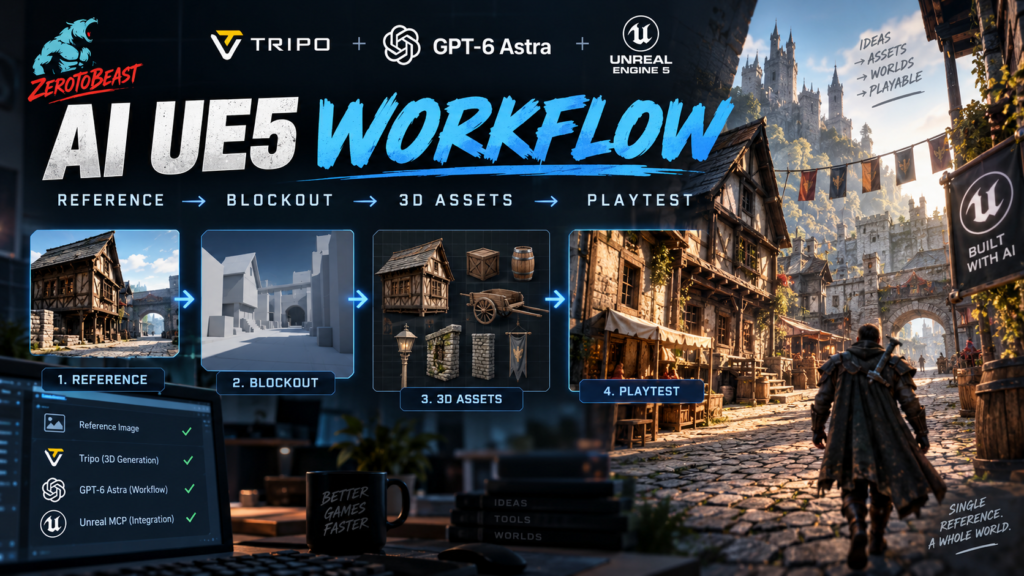
Tripo has published a new game-development walkthrough showing GPT-6 Astra working with Tripo CLI and Unreal MCP to turn a single medieval-city reference image into a playable Unreal Engine 5 scene. The end result is a city you can walk through in first person, but the part indie developers should pay attention to is not the final screenshot. It is the sequence of handoffs that gets there.
The agent does not simply stare at one picture and magically output a finished level. The workflow breaks the job into planning, blockout, asset generation, import, placement, lighting, collision checks, performance checks and a final traversal test. That is much closer to how a real production pipeline needs to work.
And that makes this worth studying even if you have zero interest in generating a medieval town.
Quick Take
Who this is for: solo developers, small Unreal teams, technical artists and prototype builders who already understand that AI output still needs human direction.
What is compelling: Astra can carry a plan across multiple tools instead of stopping at “here is a mesh.” Tripo handles 3D generation, Unreal MCP gives the agent access to the editor, and the agent can inspect the result and iterate.
The catch: this is Tripo’s own demonstration, not an independent production benchmark. The workflow itself also explicitly requires checks for holes, intersecting geometry, collision, materials, scale and performance. In other words, the boring parts of game development remain undefeated.
The Important Idea: Separate Thinking From Asset Generation
Tripo’s workflow starts by asking ChatGPT Images 2.5 to analyze the reference image and turn it into a prioritized asset list. It separates foreground, midground and background, identifies hero buildings and small props, marks the expected player route and decides which pieces need detail versus which only need a readable silhouette.
That sounds almost obvious, but it is exactly the step that many “one prompt makes a game” demos skip. Treating an entire screenshot as one giant 3D-generation request is a great way to get something visually impressive and structurally useless.
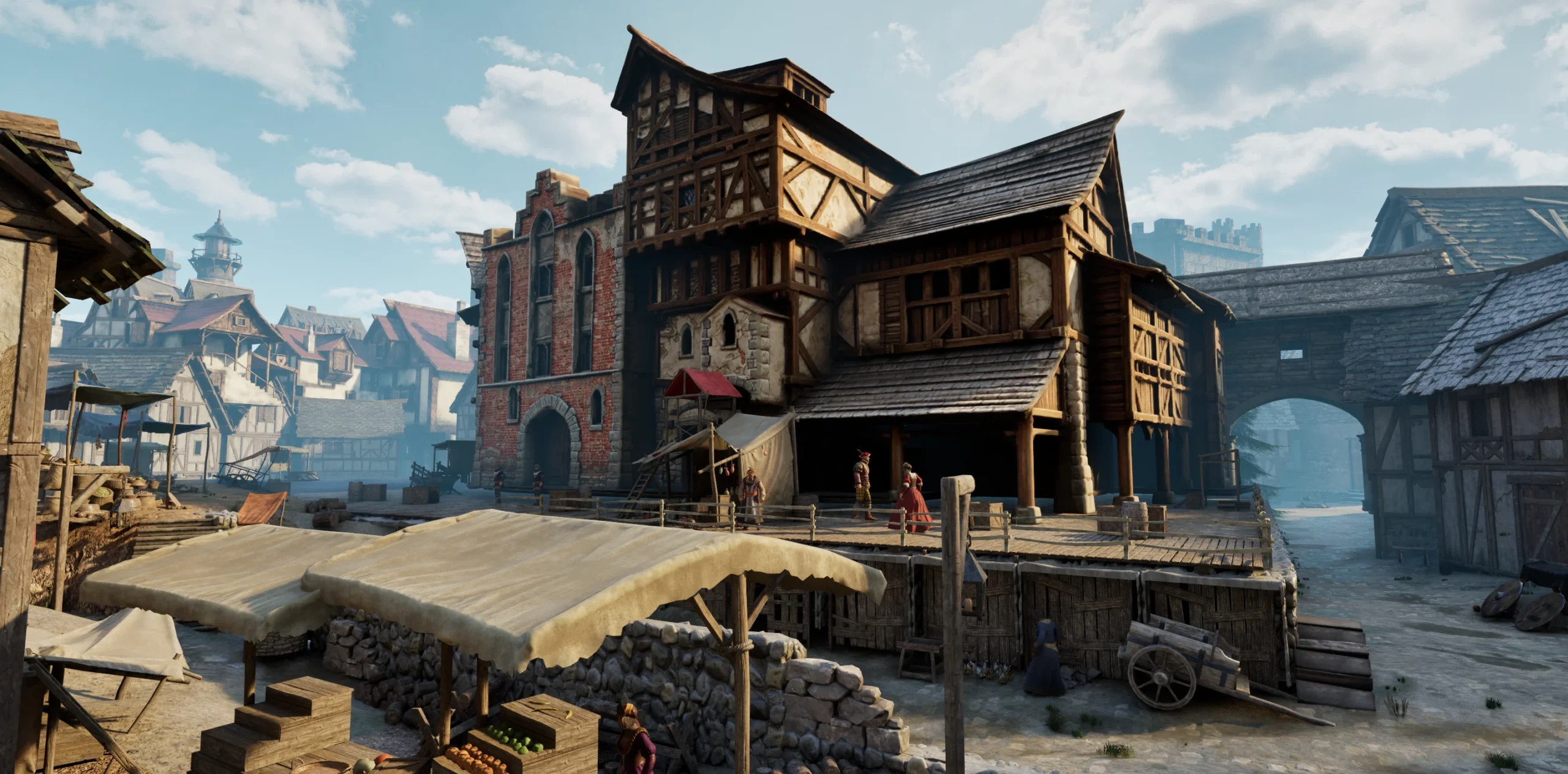
Instead, the scene becomes a list of production problems: a city gate, hero buildings, distant structures, stalls, crates, barrels, boardwalks and fences. Some pieces can be generated. Some can be repeated. Some are better handled directly inside Unreal.
That decomposition is the first thing worth stealing.
Block Out Before You Spend Credits
The next step is even more familiar to experienced level designers: build a blockout first.
Unreal MCP is used to create the scene with primitive geometry, establish scale, position the camera and validate the walking route before the expensive-looking models arrive. The workflow checks spacing, ground contact, sight lines and whether the player can physically move through the environment.
That is a much healthier order of operations than generating 30 beautiful assets and discovering later that your street is too narrow or the hero building blocks the route.
Then Astra Starts the Assembly Line
Once the blockout is approved, Astra calls Tripo to generate assets in batches. Tripo’s walkthrough uses its H3.1 model for hero buildings and P2.0 Smart Mesh for distant buildings and smaller props.
The distinction matters. Tripo says H3.1 can reach roughly two million faces and generate 8K textures and PBR maps, which makes it more appropriate for high-detail static foreground assets. P2.0 supports controllable topology from roughly 500 to 50,000 faces, plus quad or triangle output, making it more practical when polygon budgets and downstream editing matter.
The workflow also tells Astra to retry failed assets individually rather than regenerating an entire batch. That is another tiny decision with big production consequences. When one barrel is cursed, you should not burn the village down.
This Is Where the “AI Did Everything” Story Falls Apart, in a Good Way
After generation, the workflow calls for a very human-looking QA checklist:
- verify base color, roughness, metallic and normal maps;
- check collision on walls, doors, steps and walkable areas;
- inspect generated geometry for holes and intersections;
- keep detailed assets where detail matters and reduce face counts for background props;
- watch real level performance rather than assuming a pretty mesh is production-ready.
For high-detail static foreground assets, the guide suggests Nanite. For distant buildings and props, it explicitly recommends keeping geometry lighter.
This is the part that makes the demonstration more useful than a generic “AI created a game world” headline. The toolchain is being asked to preserve normal game-development constraints, not pretend those constraints disappeared.
Unreal MCP Is the Glue
Tripo produces meshes, but Unreal MCP is what lets the agent keep working after those meshes exist. In the demonstration, Astra uses the editor connection to replace blockout pieces, preserve the established layout, place repeated objects with variation, set up directional lighting, Sky Atmosphere, Sky Light and fog, then inspect the result again.
The final pass adds Unreal’s first-person feature pack. The agent is instructed to walk the route in Play in Editor and fix anything that floats, overlaps, blocks a doorway or otherwise fails when viewed from the player’s perspective.
That last step is more important than it sounds. A level can look perfect from one cinematic camera and still be garbage the second the player gets control.
What This Could Save a Solo Developer
The strongest use case is not “replace the environment artist.” It is compressing the mechanical handoff work between a rough idea and a playable grey-to-art prototype.
A solo developer could start with a concept image, establish a route, generate a first batch of environment assets, import them, place them and get to an explorable scene without manually babysitting every file transfer. That could be especially useful for vertical slices, pitch scenes, rapid art-direction tests and early level prototypes.
It also fits a broader pattern we have been tracking at ZerotoBeast. Unity’s new first-party Codex integration focuses on giving coding agents project-aware skills and editor control, while Scenario MCP is trying to put large media-generation pipelines behind an agent. Tripo’s example pushes the same idea into 3D environment production.
The interesting future is not one magical model. It is a supervisor agent that knows which specialized tool to call, checks the result and keeps moving.
The Price Question Matters
Tripo’s free plan currently includes 200 monthly credits, which the company estimates at about 13 models. The important limitation is licensing: Tripo labels free-plan models as public and non-commercial.
The Pro plan is listed at $20 per month when billed annually at $240 per year. It includes 3,000 monthly credits, estimated at roughly 200 models, plus 10 concurrent tasks, private models, commercial use, batch generation and unlimited batch exports.
That means the free plan is fine for experimenting with the workflow. If you plan to ship generated assets commercially, the licensing difference is not a footnote. It is part of the buying decision.
Who Should Actually Try This?
Try it now if you already use Unreal, understand blockouts and asset QA, and want to accelerate prototype environments. The more clearly you can describe what “good” means, the more useful the agent becomes.
Experiment cautiously if you are still learning 3D fundamentals. Automation can hide mistakes just as efficiently as it hides repetitive work.
Ignore the hype if you are expecting one reference image to become a polished, optimized production level with no supervision. Tripo’s own guide does not claim that, and its checklist proves why.
ZerotoBeast Take
The exciting thing here is not that Astra can make a medieval city. We already know generative tools can make impressive assets.
The leap is that an agent can now carry a creative instruction through a chain of specialized production systems: analyze the reference, plan the assets, block out the space, generate models, import them, assemble the scene, light it, walk through it and fix obvious failures.
That starts to look less like a chatbot and more like a junior production pipeline with infinite patience.
It still needs someone with taste, technical judgment and the authority to say, “Nope, that doorway is stupid. Fix it.” For now, that is exactly where the human belongs.
See Tripo’s full GPT-6 Astra + Unreal MCP workflow

