
AI game-development demos are easy to make look magical when the demo ends at a pretty image. The interesting part starts after that image needs to become a real asset, survive revisions, get exported in the right format, land in a build, and still work when the player touches it.
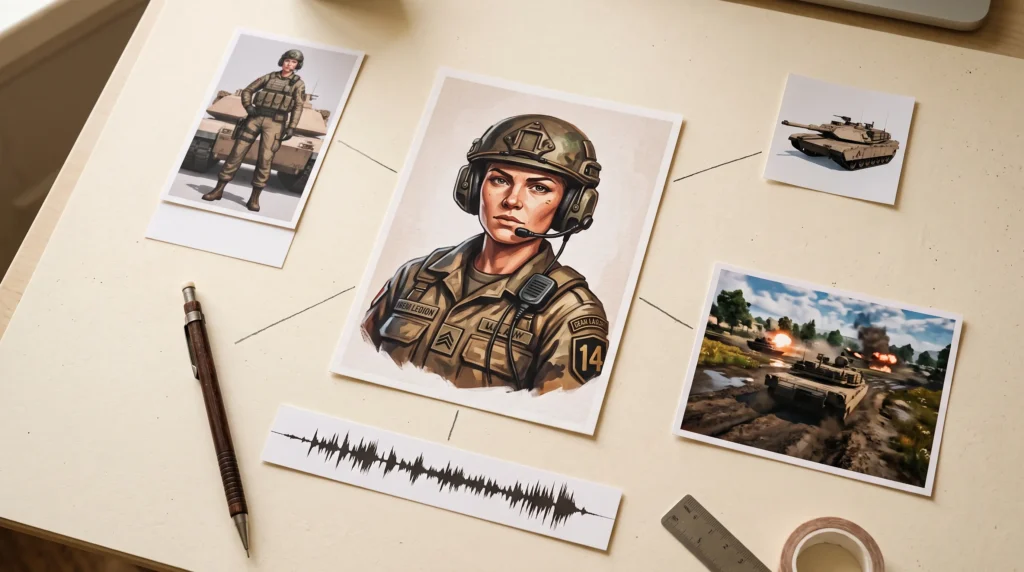
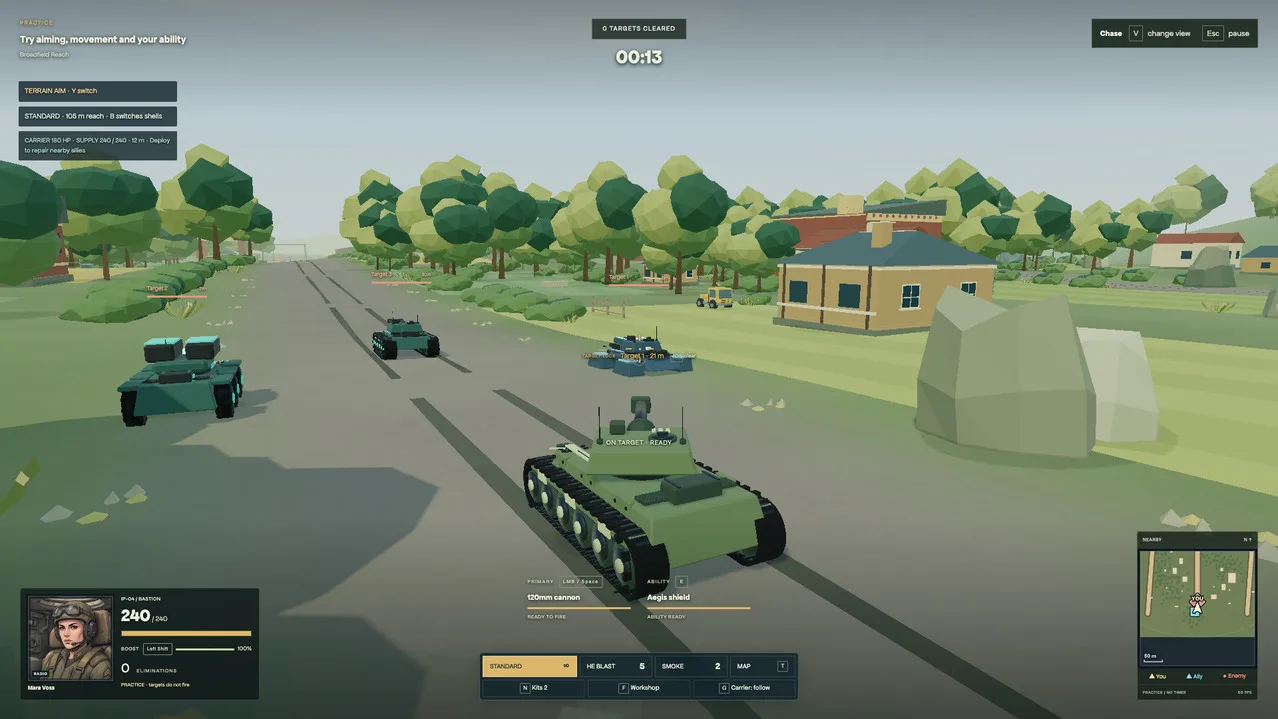
That is why Scenario’s latest case study is worth paying attention to. On September 15, Scenario published a breakdown of Low Thunder, a playable browser tank game built over four days with a coding agent connected to the company’s MCP server. According to Scenario, the project shipped with ten playable tanks, ten commanders, ten battlefields, a ten-operation campaign, sign-in and leaderboards. The generated media pipeline covered commander portraits, 3D bodies, voice lines and cinematic shots, while the same agent also organized the resulting assets for the build.
This is not a story about pressing one button and getting a finished game. In fact, the strongest part of Scenario’s own write-up is that it says exactly the opposite.
Quick Take
Scenario MCP is interesting because it turns a coding agent into an operator for a large creative-AI stack. Instead of manually bouncing between separate image, video, 3D and audio tools, an MCP-compatible agent can search Scenario’s model catalog, inspect model inputs, run jobs, download results and organize them into a production library.
Scenario’s current MCP documentation says the server exposes more than 60 tools and more than 550 models. It works with clients including Claude Code, Cursor, VS Code, Claude Desktop, Windsurf, Zed, Warp and other MCP-compatible agents. Scenario also lists Codex among supported clients in its current product material.
That is potentially useful for small teams because the value is not just generation. The bigger pitch is orchestration.
What Problem Does Scenario MCP Actually Solve?
Most AI asset tools still create a context-switching problem. You describe an image in one service, a 3D prop in another, voice in a third, download everything, rename it, convert it, then explain all of those files to your coding agent.
Scenario MCP collapses more of that loop into one conversation. The agent can ask Scenario what models exist, read the real input schema for the selected model, submit a generation, wait for the job, inspect the output, pull down the retained asset and continue the implementation work.
Scenario describes the production loop used on Low Thunder as four steps: find the right tool, generate a candidate, inspect the result, then use and file it. That sounds simple, but the important detail is that the asset can stay connected to the task it was created for.
A portrait is not just ‘make a cool soldier.’ It can be briefed as a 512-pixel radio portrait that must preserve the commander’s face, headset and uniform, remain readable at HUD size, then be wired into the roster. That kind of task-specific instruction is where agentic asset generation starts to look less like a toy and more like pipeline automation.
The Four-Day Game Claim Needs Context
Scenario says Low Thunder went from project work beginning on September 8 to a release on September 11. The final game reportedly had 802 automated tests passing, plus manual browser journey checks.
That is impressive, but do not read it as ‘AI made a game in four days.’
Scenario explicitly says the game code, vehicle articulation, terrain systems and integration work were engineered. The company also says an existing asset library, parallel generation and targeted revisions helped the schedule. Blender scripts and procedural code handled parts of the geometry and vehicle work. The trailer was assembled with Python and FFmpeg rather than magically emerging from a single video prompt.
That distinction matters. The real productivity story is that media generation, asset bookkeeping and code integration could happen inside the same agent-driven workflow. The agent was not replacing the engine, design decisions, testing or human review.
What It Can Generate
Scenario is no longer only an image generator. Its current platform covers 2D images, video, audio and 3D meshes. Its pricing page lists output formats including PNG, JPEG, WebP and SVG for images, common video and audio formats, and 3D exports such as GLB, OBJ, FBX, STL and VOX with PBR texture support.
The Low Thunder case study used multiple model families rather than forcing one model to do everything. Scenario says the project used OpenAI and Gemini image models for stills and edits, Tripo for 3D source bodies, Seedance for cinematic shots, MiniMax for character performances, ElevenLabs for voice and effects, and Lyria for music experiments.
That model-routing layer may be one of Scenario’s strongest practical advantages. Developers do not need to memorize which provider is best at each job if the agent can inspect available models and their inputs first.
Pricing: The Free Tier Is for Testing, Not Shipping
Scenario currently advertises a free tier with 50 daily credits and no credit card required. Paid plans start at $15 USD per month for Starter with 1,500 monthly credits. Pro is $45 per month with 5,000 monthly credits, and Max is $75 per month with 10,000 monthly credits and team features. Annual billing is advertised at 33% less than monthly pricing.
Credits are consumed differently depending on the model and output settings, so there is no honest single answer to ‘how many game assets does 1,500 credits buy?’ A 2D iteration and a premium video generation can have very different costs.
The other important pricing detail is commercial use. Scenario’s pricing page says paid plans include commercial rights for generated assets, while free-plan outputs are for personal and evaluation use. Scenario’s terms also state that users own their generated assets, subject to the platform’s terms and AI-output limitations.
If you train a custom model, you are still responsible for having the necessary rights to the training data you upload. That is not fine print to ignore.
Who This Is For
Scenario MCP makes the most sense for developers who already use an AI coding agent and regularly need media assets during implementation. Solo developers, technical designers and small teams are the obvious audience.
It is particularly compelling when your workflow involves lots of small, connected production tasks: generate four icon variants, choose one, remove the background, upscale it, export it, put it in the right folder and wire it into the UI. The same logic applies to concept-to-3D experiments, temporary dialogue performances, marketing art, textures, skyboxes and prototype cinematics.
It also becomes more interesting when consistency matters. Scenario supports custom-model training and reusable workflows, which means a team can aim for an internal visual language instead of asking a generic model to rediscover the art direction on every prompt.
The Catch
The first catch is obvious: generation does not remove review. Scenario’s own case study describes rejected portraits, framing problems and pose issues that needed iteration. An agent can make ten mistakes faster too.
The second is cost control. Giving an agent access to hundreds of models is powerful, but every retry can spend credits. Teams should measure generation cost per retained asset rather than celebrating how many jobs the agent can launch.
The third is that AI-generated media still needs real production work. Retopology, rigging, UV work, compression, LODs, naming, import settings, gameplay binding and performance testing do not disappear because the first mesh came from a model.
And the fourth is legal responsibility. Scenario says its paid outputs can be used commercially and that it does not train on customer data, but developers using custom training sets still need to know where their source material came from and what they are allowed to do with it.
Why This Is More Interesting Than Another AI Asset Generator
There are already plenty of tools that can produce a nice image or a rough 3D mesh. Scenario MCP is more interesting because it is trying to make the agent the production interface.
You can connect the server through OAuth, then ask the agent to operate against your Scenario workspace. The current MCP setup guide says local clients can also reach local files for batch workflows, while API keys are available for shared or unattended setups.
That opens the door to something larger than one-off prompts: repeatable asset jobs that live alongside code tasks.
For example, a developer could ask an agent to create six style-matched potion icons, compare them at actual inventory size, keep the selected versions, export transparent WebPs, update the Unity project and retain the unused drafts in a Scenario collection. That is a real workflow. It has inputs, review criteria, file requirements and a destination.
ZerotoBeast Take
Scenario MCP is worth trying if your current AI workflow feels like ten browser tabs held together by copy and paste. The new Low Thunder case study is useful because it shows the boring parts too: file formats, retained drafts, integration, testing and human rejection.
Do not buy into the fantasy that the tool replaces game development. It does not. Scenario’s own example still needed engineering, Blender work, procedural systems, testing and human art direction.
But if one agent can move from ‘I need this asset’ to generation, review, export, filing and implementation without forcing you to manually operate five services, that can genuinely remove production friction.
For solo developers, the sensible test is not to build an entire game with it. Pick one painful asset workflow and measure it. One UI icon set. One NPC portrait chain. One prop that goes from concept to 3D. Track the hands-on minutes, number of retries and credits spent. If the numbers are good, then scale it.
Try Scenario MCP / See the official MCP feature page

