
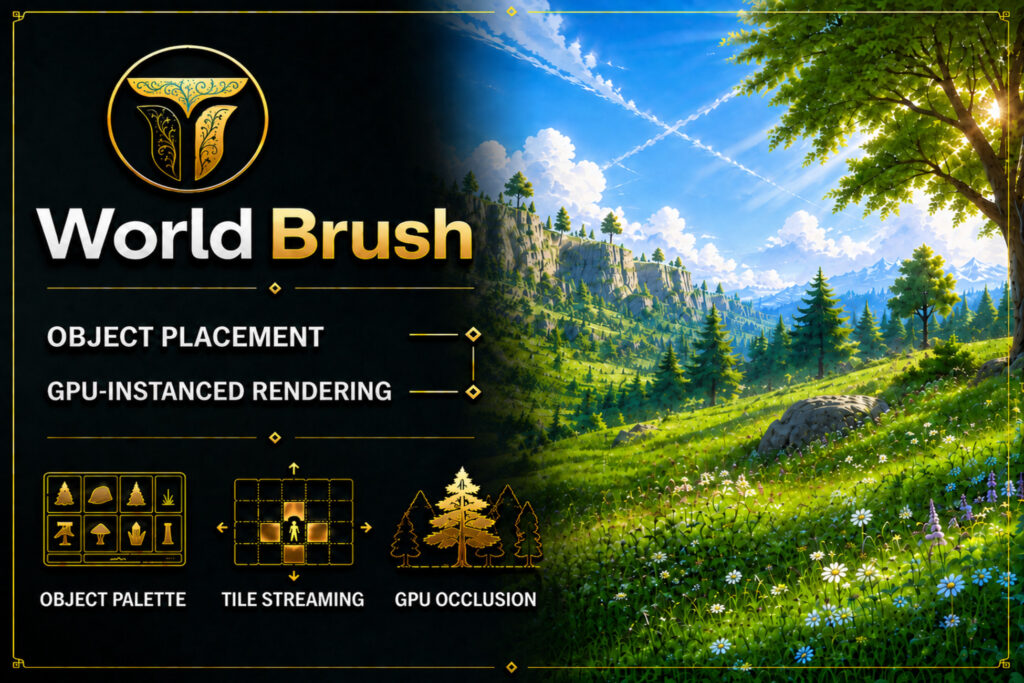
WorldBrush is a new free Unity beta that tries to collapse several annoying open-world jobs into one workflow: paint prefabs, procedurally populate terrain, bake world data, stream tiles at runtime, and render huge object counts without immediately turning your scene into a performance crime scene. For a solo developer or small team, that combination is much more interesting than another brush tool with a prettier inspector. Get the free tool on the Unity Asset Store.
The pitch is simple: stop treating world dressing, procedural scattering, streaming, LOD, impostors and GPU culling as six unrelated engineering problems. The package currently bundles those jobs into a 53.2 MB Extension Asset, and version 0.1.2 was released on September 7, 2026. The price is exactly the number indie developers enjoy most: $0. Open the current Asset Store listing.
Why WorldBrush is more interesting than a prefab painter
A normal object painter saves you from manually dragging 400 rocks into a scene. Useful, absolutely. But the harder problem arrives after the rocks exist. How do you partition them, bake them into runtime-friendly data, stream them around the player, choose the right LOD, hide the ones the camera cannot see and keep draw calls under control? WorldBrush is trying to cover that entire chain instead of stopping at placement. See the tool on the Unity Asset Store.
That matters because environment tooling often becomes death by integration. One package paints objects. Another handles vegetation. Another streams sectors. Another does GPU instancing. Another handles occlusion. Every extra system adds setup, compatibility checks, serialized data, update risk and one more place for the sentence “why is this tree gone only in builds?” to begin. A unified workflow can save more time than any single feature if it actually holds together. Check the full feature list.
8 big jobs WorldBrush tries to handle
The current beta is ambitious. WorldBrush lists eight major production jobs that normally span authoring and runtime optimization. View the full feature set.
- Brush placement: paint, erase and edit prefab instances directly in the Scene view.
- Object palettes: organize prefabs, materials, colliders, categories, LODs, impostors and placement rules.
- Procedural generation: populate areas with Jittered Grid, Random, Poisson Disk, Brush Pattern and Noise Field algorithms.
- World baking: convert authoring data into binary runtime tiles, manifests and streaming catalogs.
- Runtime streaming: load and unload tiles around the player with distance, memory, CPU and I/O budgets.
- GPU rendering: use RenderMeshIndirect, GPU Instancing or MeshRenderer fallbacks, including multi-material and submesh support.
- LOD and impostors: reduce distant rendering cost with mesh LODs, GPU LOD selection and camera-facing impostors.
- GPU occlusion: use Hi-Z based instance culling without needing dedicated engine layers.
That is the real selling angle. You are not downloading a brush because painting rocks is exciting. You are downloading the package because a big environment eventually needs an authoring pipeline and a runtime pipeline, and this beta is attempting to connect both. Try the free beta from the official Asset Store page.
Procedural worldbuilding without surrendering art direction
Pure random scattering is fast, but “we threw Noise at it” is not an art direction. WorldBrush gives designers multiple placement algorithms plus reusable brushes and palettes, which means you can use procedural rules to do the boring first pass, then go back in and art-direct the places the player will actually notice. Inspect the tool on the Unity Asset Store.
For a survival game, RPG, open-zone action game or large outdoor level, that can turn hours of repetitive prop placement into a much smaller cleanup job. It also fits the broader small-team reality we discussed in our breakdown of Unity’s 2026 development report: production leverage matters when your team cannot dedicate a separate technical artist to every worldbuilding problem. Get the free beta.
Streaming and GPU rendering are the serious part
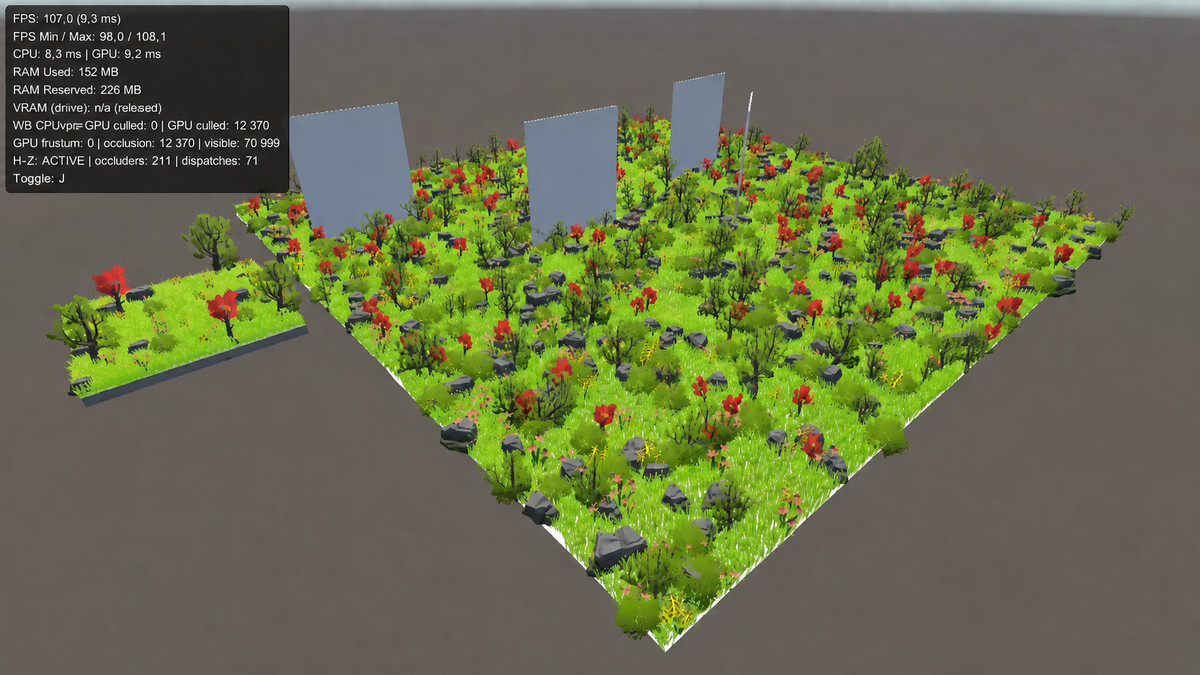
The runtime side is what separates WorldBrush from a tool you use for ten minutes and forget. Its baked data can be split into tiles and streamed around the player using configurable distance, memory, CPU and I/O budgets. That is the kind of plumbing teams usually discover they need after the pretty prototype has already become too heavy. See the runtime streaming details.
The rendering path is similarly practical. The tool supports indirect GPU rendering, conventional GPU instancing and MeshRenderer fallbacks, then layers LOD selection, impostors and GPU occlusion on top. In a large forest, ruined city, roadside environment or prop-heavy sandbox, those systems are not glamorous, but they are exactly where frame time starts sending threatening letters. Check the rendering features.
There is a limitation worth understanding before you design an entire content pipeline around it: runtime content currently comes from local files shipped with the player. The official listing explicitly says HTTP and HTTPS delivery are not supported. So if your architecture depends on downloading world tiles from a server after release, the package does not currently advertise that workflow. Read the current technical details.
The compatibility catch: Unity 6.6 is ahead of official support
This is the biggest caveat today. WorldBrush officially lists support from 2022.3.62f3 LTS through the 6000.5 line. Meanwhile, Unity 6.6 shipped on September 1, and the official release archive already lists 6000.6.3f1 as the September 24 build. If your production project is already on 6.6, the current Asset Store listing does not claim compatibility yet. Check compatibility before installing.
The listing says Built-in support is included, while URP and HDRP use separate pipeline integrations. It also lists Burst 1.8.12, Collections 2.1.4 and Mathematics 1.2.6 as dependencies, or compatible newer versions. That is a reasonable support spread for a fresh beta, but “probably works on my version” is not the same thing as “officially supported on my version.” Test it in a branch first. Review the package requirements.
The beta warning is real, and the developer is unusually clear about it
The publisher is not pretending WorldBrush is a battle-tested 4.0 release. The Asset Store page says features, APIs, workflows and data formats may change. In the developer’s free open beta announcement, Tishina says bugs, compatibility issues and API changes may occur, then recommends making a commit or backup before installation. That is exactly the warning you should take seriously. Open the beta listing.
There is also very little community validation yet. The current listing does not have enough ratings to produce a meaningful score, so you should treat this as an early tool worth testing rather than a proven replacement for a mature production stack. The publisher also discloses that AI-assisted tools were used during code development and image creation. That does not make the package good or bad by itself, but it is useful provenance for teams that track AI-assisted dependencies. Inspect the current listing yourself.
The license is free, but teams still need to notice the seat rule
WorldBrush uses the Standard Unity Asset Store EULA and is categorized as an Extension Asset. Under the current Asset Store EULA, Extension Assets are licensed per seat. The price is free, so the financial pain is nonexistent, but each person who needs access should still obtain the appropriate seat rather than treating one download as a studio-wide file share. Get it through the official Asset Store listing.
Who should try WorldBrush right now?
WorldBrush is most interesting for solo developers and small teams building outdoor RPGs, survival games, open-zone action games, procedural worlds, large racing environments or any project where thousands of repeated props need to be authored and rendered sensibly. If your current pipeline is still “drag everything into the hierarchy and pray,” this is exactly the kind of free experiment worth making on a branch. Try the tool free.
It is less attractive if your project is already locked to a newer unsupported engine version, if you require remote runtime content delivery, if your studio cannot tolerate beta data-format changes, or if you already have a mature specialist stack for placement, streaming and GPU rendering. Free software can still be expensive when migration time is the currency. Check whether the tool fits your project.
Is WorldBrush worth trying?
Yes, with one giant condition: test it like a beta, not like a miracle. WorldBrush is free, recent, technically ambitious and aimed at a real bottleneck for small teams. The combination of authoring, procedural placement, baking, streaming, instancing, LOD and occlusion is compelling precisely because those problems normally arrive as separate systems. Get the free tool on the Unity Asset Store.
The correct move is not to rip out your existing world pipeline tonight. Make a branch, back up the project, build a representative test scene, measure editor friction and runtime performance, then decide whether the integrated workflow saves you more time than it creates. At $0, the purchase decision is easy. The production decision still deserves engineering discipline. Open the official Unity Asset Store page.

