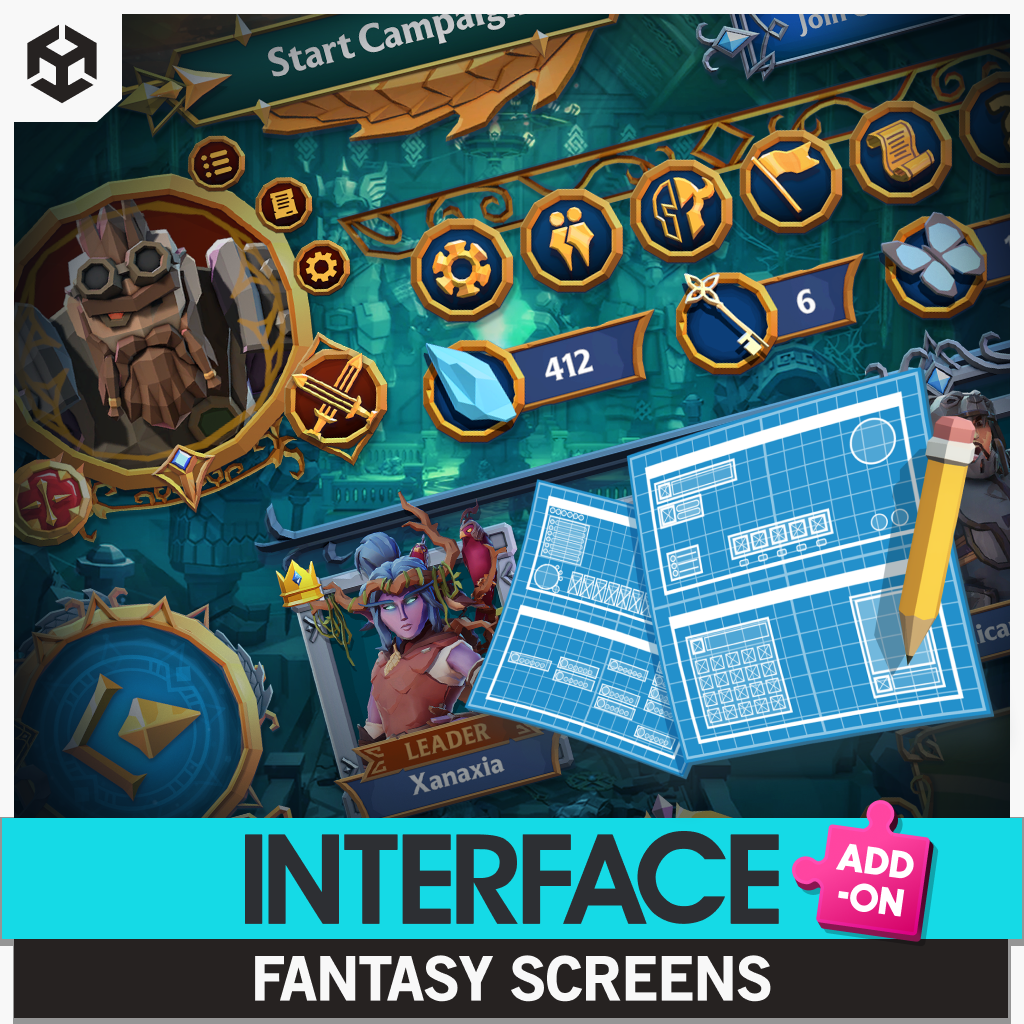
Quick verdict: Synty Fantasy Screens is one of the more useful new UI releases for fantasy developers who already own Synty’s matching interface packs. The new add-on gives you 20 ready-made screens for inventories, skill trees, character creation, crafting, party management, results screens and several HUD styles, plus 140+ prefabs and 100+ icons and sprites. Synty’s direct store currently lists it at $27.99 USD instead of $39.99, a 30% new-release discount. The catch matters just as much as the discount: this is not a standalone $27.99 UI kit. It requires two existing Synty packs to function. Check the current price on the Synty Store.
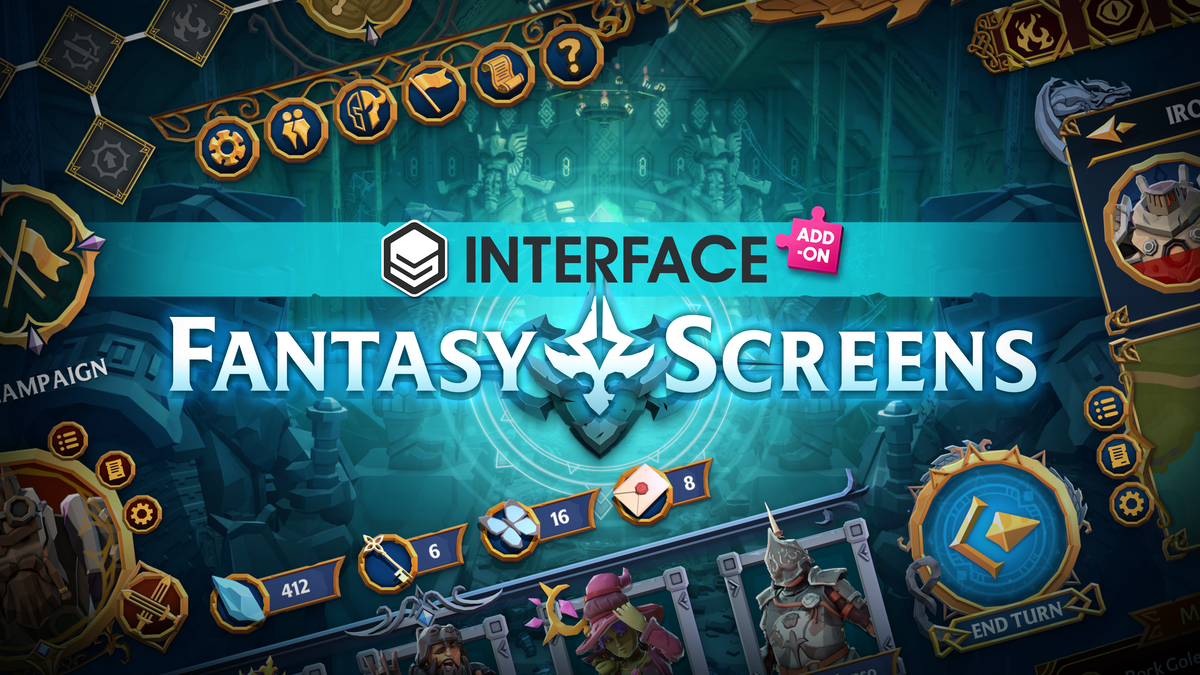
That dependency changes the buying decision completely. If you already own the required packs, Synty Fantasy Screens is a cheap expansion that can save a solo developer or small team a painful amount of interface production work. If you are starting from zero, the current direct-store cost is about $207.97 USD before tax once you add the $99.99 HUD pack and $79.99 menu pack. That is still potentially reasonable for a UI-heavy RPG, but it is not the impulse-buy price the add-on card suggests by itself. Open the add-on on the Synty Store.
Synty Fantasy Screens adds 20 screens where UI work usually explodes
Synty Fantasy Screens targets the part of game development that gets underestimated until the prototype starts becoming a real product. A fantasy RPG does not need one menu. It needs an inventory, character panels, crafting, skill trees, party management, pause screens, settings, results, save and load flows, popups, buttons, icon states and enough visual consistency that none of it feels bolted together on Friday night. This pack attacks that production pile with a coherent visual system instead of a folder of unrelated PNGs. See the full content list on the Synty Store.
Synty lists 20 new screens, more than 140 prefabs with animations, and more than 100 additional icons and sprites. The promotional material shows use cases ranging from turn-based combat and party screens to inventories, strategy layouts, character creation and skill trees. The important production advantage is not that every screen will ship unchanged. It is that a developer starts from a complete hierarchy, visual language and reusable component set instead of designing every panel from an empty canvas. View the official product gallery.
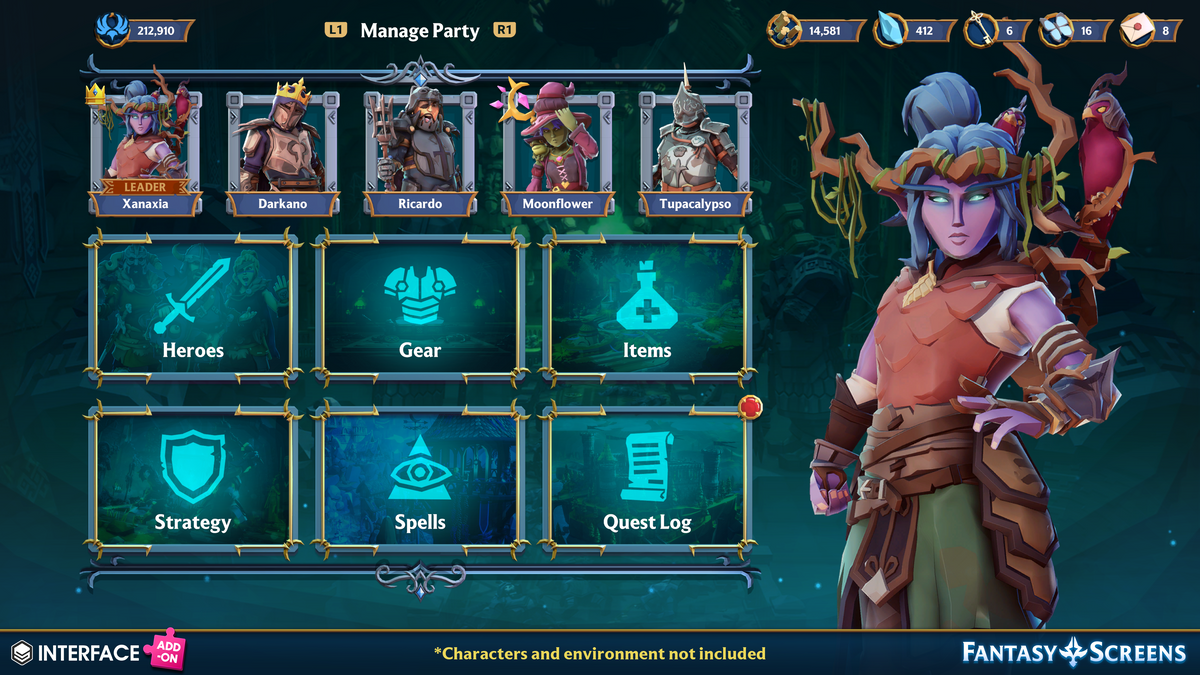
For the right project, that can translate into days or even weeks of avoided layout and art assembly. It does not remove UX design, input wiring, data binding, localization or accessibility work. You still have to make the interface serve your game. What it can remove is the repeated visual construction that sits between “we need a skill tree” and “we have a skill tree screen that looks like it belongs beside our inventory and party menu.” Check the add-on for your project.
The $27.99 price is great only if you understand the dependency bill
The live Synty Store page currently shows Synty Fantasy Screens at $27.99 USD, down from $39.99 USD. Synty labels it a 30% new-release discount. No end date is displayed on the live product page as of October 4, 2026, so we are not inventing a deadline. Treat $27.99 as the verified current price, not a promise that it will still be there next week. Check the live offer on the Synty Store.
For an existing Synty INTERFACE owner, the math is easy: twenty more screens for under $30 can be excellent value if even a few of those layouts replace custom production work. For a brand-new buyer, the math is different because the required foundation costs another $179.98 at current direct-store list prices. Before buying, check your library first. You may already own one or both dependencies from a previous purchase or bundle. Review the add-on requirements.
INTERFACE – Fantasy Warrior HUD
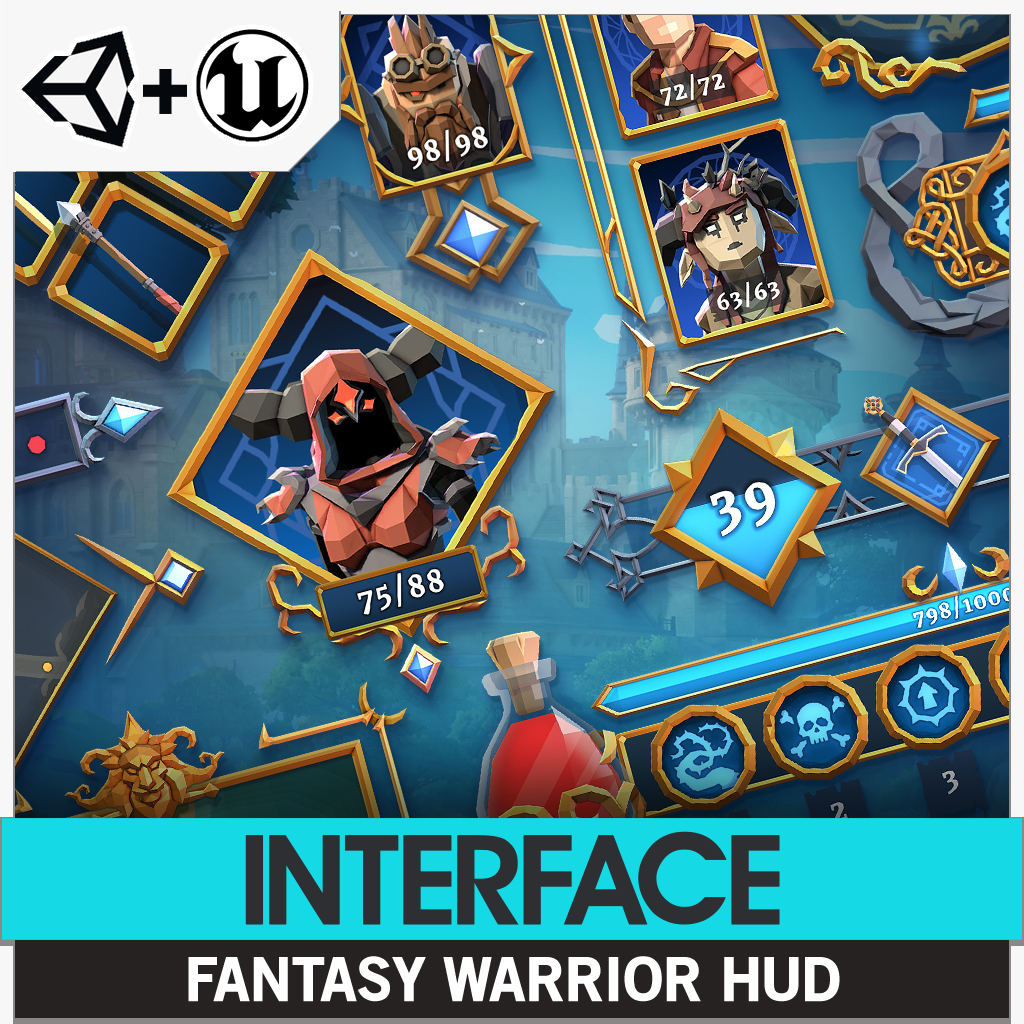
INTERFACE – Fantasy Warrior HUD is the gameplay-facing half of the required foundation and currently costs $99.99 USD on Synty’s direct store. Synty lists 178 Unity prefabs, more than 1,100 sprites and icons, premade HUDs, minimaps, weapon wheels, action bars, dialogue elements, subtitles, health displays and input icons for PC, Xbox, PlayStation, Nintendo Switch and Steam Deck. This is why the new add-on can focus on higher-level screens instead of rebuilding the basic HUD language from scratch. View INTERFACE – Fantasy Warrior HUD.
The pack supports Unity and also gained Unreal Engine support in August 2025, but that does not make the new Screens add-on an Unreal product. The new add-on remains Unity-only. That distinction is easy to miss when the art style matches across the family. Check INTERFACE – Fantasy Warrior HUD compatibility.
INTERFACE – Fantasy Menus

INTERFACE – Fantasy Menus is the second dependency and currently costs $79.99 USD. Synty lists more than 200 animated prefabs and 700+ sprites and icons, including menu frames, buttons, popups, crests, title components and premade screens. Its update history is also useful context: the current Unity changelog reaches version 1.1.1 and includes fixes for missing sprites, slider issues, input warnings and improved URP support. View INTERFACE – Fantasy Menus.
INTERFACE – Fantasy Menus supports Unity 2022.3+ across Built-in, URP and HDRP. Synty explicitly says Unreal Engine is not supported for this menu pack, and the company currently gives no timeline for an Unreal release. That makes a full Unreal workflow a hard stop for today’s add-on even though the matching HUD pack supports it. Check INTERFACE – Fantasy Menus compatibility.
Compatibility: Unity 2022.3+, all three major render pipelines, no Unreal support
Synty Fantasy Screens is currently built for Unity 2022.3+ and Synty lists Built-in, URP and HDRP support. The package ships as a Unity 2022.3 package plus a ZIP of sprites. Its UI components are designed around UGUI and 2D systems, while the sprite ZIP can be used in other UI programs without Synty support. If your project is already deeply committed to UI Toolkit, do not read this as a native UI Toolkit product. You are buying UGUI-oriented content and reusable art, not a magical converter for a different UI architecture. Read the official technical details.
The pack also includes 3D models for its rendered icon set, which helps preserve the Synty visual language when you need gear or character-style iconography. But the promotional screenshots include characters and environments from other Synty packs, and those are not all included here. Buy this for the interface system and its UI content, not because a gorgeous fantasy village happens to be sitting behind a menu in the marketing shots. Review the full content list.
What kind of game benefits most?
Synty Fantasy Screens makes the most sense for fantasy RPGs, party-based adventures, turn-based games, strategy titles, cozy fantasy projects and progression-heavy games where inventory, crafting, character management and skill systems are visible for a meaningful percentage of playtime. Those projects can justify a cohesive UI family because the menus are part of the player’s daily experience, not an occasional settings screen. See the official examples.
The pack is less compelling for a minimalist action game with three buttons and a pause menu, or for a project whose art direction is far from Synty’s colorful fantasy language. Buying 20 screens because the bundle looks generous is not value if you need two of them and then spend a week repainting everything. The right question is not “how many prefabs do I get?” It is “how many screens would I otherwise have to design, build and maintain?” Compare the add-on with your actual UI needs.
The biggest time saver is consistency, not drag-and-drop magic
Game UI is one of those production jobs where the first 80% looks deceptively fast. You can mock up an inventory in an afternoon. Then come hover states, controller navigation, transitions, font scaling, safe areas, localization, popup layering, animation timing, reusable components and every new screen having to look like it belongs to the same game. Synty Fantasy Screens gives teams a coherent starting system for that visual consistency. Explore the add-on on the Synty Store.
It still will not write your inventory code, connect your skill graph, decide whether a crafting screen is understandable, or make accessibility choices for you. A prebuilt interface can save art and assembly time while still requiring serious engineering and UX work. That is not a weakness of the pack. It is simply the line between buying UI assets and buying a finished game system. See the official product page.
License and support details developers should notice
Synty’s direct product pages show a five-seat allowance per quantity under its one-time purchase licence wording. That is unusually useful context for a small team because you should not assume every marketplace uses the same seat model. If you buy through another store, verify the terms attached to that purchase rather than carrying direct-store assumptions across storefronts. Check the licence information.
The add-on is also very new. The current changelog is version 1.0.0, and the direct product page shows only one customer review so far. The older required packs have more history, including nine reviews on the menu pack and a substantial changelog, but the new screen expansion itself has not accumulated enough community history for us to pretend edge cases are fully mapped. If you have a production-critical UI pipeline, test it in a branch before reorganizing your entire interface around it. Open the product page before buying.
Is Synty Fantasy Screens worth buying at 30% off?
Yes, if you already own the dependencies and the fantasy art direction fits your game. At $27.99, Synty Fantasy Screens can be a very efficient way to expand an existing Synty UI stack with 20 high-value screens that many RPGs eventually need anyway. The combination of animated prefabs, reusable icons, character screens, inventories, crafting, skill trees and party management is exactly the kind of boring-but-essential production load an asset should remove. Get the add-on from the Synty Store.
If you own neither required base pack, think harder. The practical direct-store entry cost is about $207.97 before tax at today’s prices. At that point you are no longer buying a cheap add-on. You are buying a full fantasy UI ecosystem, and you should compare that ecosystem against your project’s art direction, engine UI architecture and expected menu count. The pack can still be worth it, but only if you are going to use enough of the system to earn back the cost in saved production time. Check the current price and requirements.
If your current project is still at the “prove the game loop first” stage and budget matters more than polished UI, it may make more sense to keep the interface simple and spend nothing on art until the prototype survives. Our ITHappy Apocalypse Free breakdown is a good example of the opposite buying decision: use a genuinely free asset to get a coherent prototype on screen, then spend when the project has earned it.