
NeoFPS just dropped to $24.75 USD in Unity’s October sale, down from $75, and its October 7 update gives developers a reason to pay attention beyond the discount. If your FPS prototype has become a pile of disconnected controller scripts, weapon prefabs, input bindings, camera effects and save-system glue, this toolkit offers a more coherent starting point. It is not a finished shooter. It is the infrastructure for building your own. Check the $24.75 NeoFPS deal.
Quick facts checked October 10, 2026: $24.75 instead of $75, 67% off; version 1.1.38 released October 7; 107 Asset Store ratings; Built-in, URP and HDRP compatibility listed for Unity 2022.3.62f3 and 6000.0.71f1; a substantial 2.4 GB package. The deal’s exact expiry timestamp is not stated on the product listing, so verify checkout pricing instead of trusting a guessed deadline. View the current NeoFPS price and compatibility.
Why NeoFPS is more than another FPS character controller
A basic controller can get a camera moving in minutes. The expensive part comes afterward: handling slopes and moving platforms, making a slide feel deliberate, keeping recoil believable, configuring a second gun, saving inventory state, building menus, and untangling the interactions between all of those systems. NeoFPS targets that messy middle, with a custom kinematic character controller, a visual movement graph, modular firearms, inventories, damage rules, UI and saving. That cohesion is the real thing you are buying. Explore the full NeoFPS toolkit.
The movement side is especially interesting for action-heavy games. The developer’s Motion Graph lets you assemble movement states and transitions rather than hiding every traversal behavior inside one giant controller script. The official feature set includes wall running, mantling, crouch slides, double jumps, swimming, ladders, jetpacks and complex moving-platform support. That can be the difference between prototyping a mechanic this weekend and spending the weekend arguing with your own gravity code. Check the NeoFPS movement features.
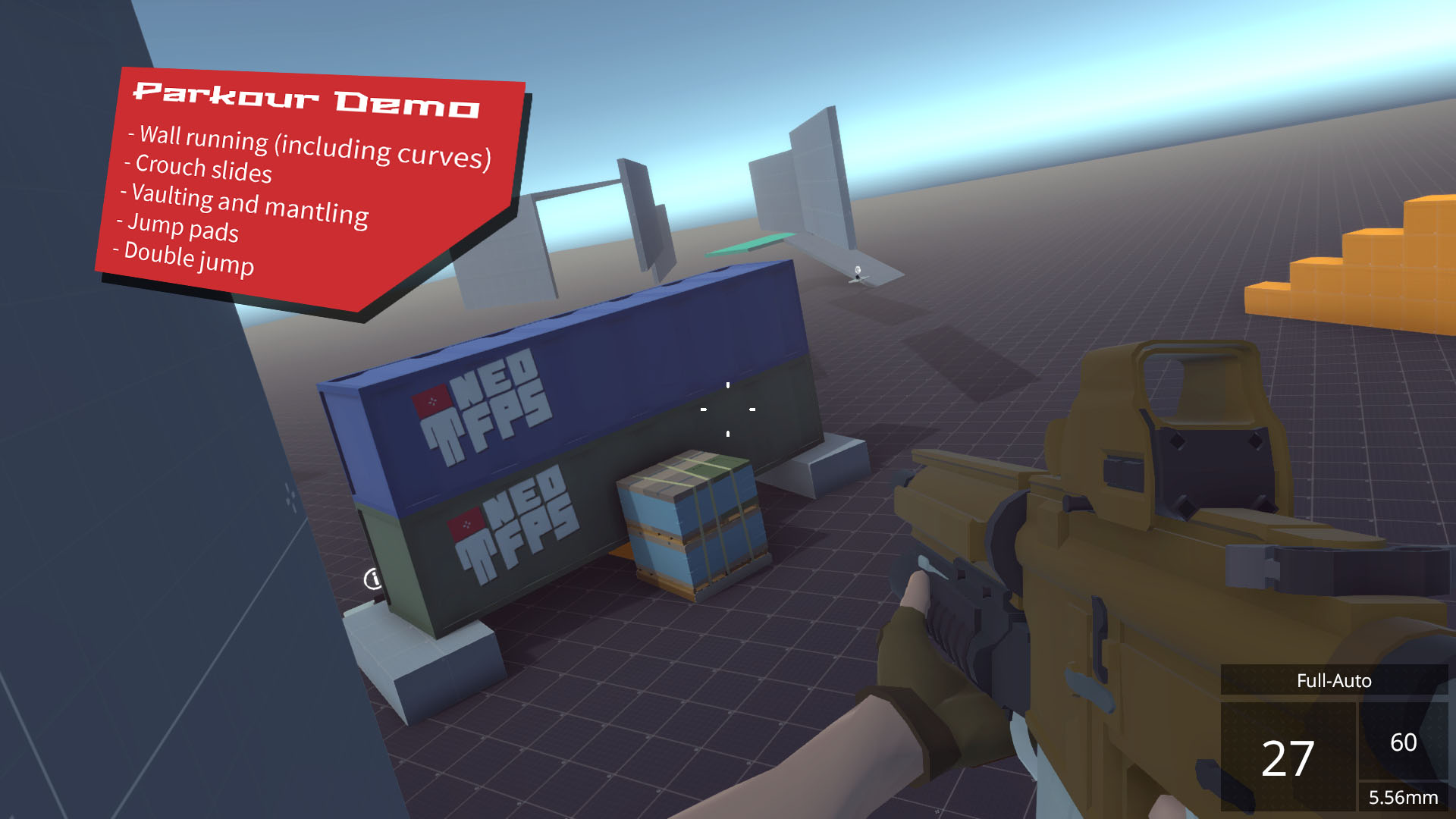
Consider a parkour shooter where the player sprints down a corridor, vaults a railing, slides under a shutter and fires while airborne. A lightweight controller is a fine choice if those are the only actions. But once weapon handling, animation, save states and HUD feedback have to agree with movement, a shared framework starts saving integration time. NeoFPS is compelling for that kind of connected design rather than for its raw count of demo moves. See the NeoFPS controller on the Asset Store.
Build guns from systems, not one giant weapon script
The firearm architecture is modular: trigger, shooter, reloader, ammo source, aimer, shell ejection and effects can be configured as separate pieces. You can build a different firearm behavior by combining modules rather than cloning a monolithic rifle prefab and hoping the next mechanic does not break everything. The toolkit also covers recoil, accuracy, scope implementations, flashlights, laser pointers, pickup and drop behavior, and inventory-linked ammo. NeoFPS gives weapon-heavy projects a meaningful head start on mechanics that are easy to underestimate. Explore NeoFPS firearm modules.
The production workflow matters more than flashy marketing renders. A developer can test movement in one example scene, assemble a gun using the hub and wizard, connect it to inventory and pickups, then replace demo art with their own. The official documentation and tutorial library go deep on those steps, including dedicated walkthroughs for firearm creation, animator setup, inventory integration and save games. Expect to learn the architecture, but at least there is an architecture to learn. Inspect NeoFPS on Unity.
There are real trade-offs. A highly configurable toolkit has more concepts to understand than a free FPS starter prefab. In an older developer discussion, one owner praised the support and feature set while finding custom weapon setup difficult to understand initially. That is not evidence of a current widespread problem, but it is a sensible warning: budget time for setup and integration, especially if your existing game uses a different animation or inventory stack. Review NeoFPS before committing.
The October 7 update makes the sale more interesting
Version 1.1.38, published on October 7, is not a giant feature rewrite. According to the official release notes, it adds a Raycast Transform option for aiming modules to help firearms hit the reticle target more precisely, plus a First Person Body transition tool. It also fixes Unity 6.3 EntityID warnings, URP VFX alpha clipping, a semi-auto trigger edge case after switching weapons, holographic sight motion-blur interference in the URP demo and some save serialization keys. These are specific workflow corrections, not vague promises of being next-generation. See NeoFPS version 1.1.38.
The preceding 1.1.37 release on September 15 arguably contained the bigger engineering change. The developer replaced older BinaryFormatter-based save/load code, reported fixing script errors and warnings in Unity 6.7, and raised the minimum supported editor to Unity 2022.3. Together, the two releases suggest continuing maintenance of an older, complex toolkit. They do not prove every custom project or plugin combination is bug-free, so keep a separate integration branch when upgrading. Read the NeoFPS release history.
Unity 6, render pipelines and setup: know what you are importing
The current Asset Store compatibility table marks Built-in, URP and HDRP compatible on the listed 2022.3 and Unity 6000.0 editor versions. The important nuance is how the demos boot: since version 1.1.36, projects imported into Unity 6 or newer receive URP and the newer Input System as the default demo setup, while older Unity projects keep Built-in and the legacy input manager. Render-pipeline extension packages are provided, but an existing production project still needs deliberate setup and a safe migration plan. Check NeoFPS engine compatibility.
The official Input System guide explains the newer input path, including gamepad bindings. The vendor also maintains a touchscreen input guide with virtual stick and touch button examples, so calling this strictly desktop-only would be wrong. However, the same documentation explicitly says its demo scenes are targeted at standalone platforms and are not optimized for mobile. Mobile developers must profile physics, post-processing and rendering instead of assuming an editor demo will perform well on a phone. Check NeoFPS for your target hardware.
External integrations exist for selected third-party systems, and the official integrations catalog includes examples involving destruction, object grabbing, highlighting and NPC tools. But some public integration repositories were written against older Unity or package versions. Treat each integration as a starting point to verify, not a guarantee that every current version of every dependency works together without engineering time. Inspect NeoFPS integration options.
What the $24.75 price does not buy you
It does not buy a finished game or a complete enemy AI framework. The developer roadmap still describes a larger 1.2 refactor and combat AI as work in progress. Build your own AI or integrate a suitable compatible solution if the project needs patrols, ranged enemies, tactical decisions or zombie crowds. The demo scenes are there to demonstrate mechanics, not secretly to ship as your next game. Review NeoFPS scope before purchase.
Some complete-body demonstrations need separately licensed animations. The vendor states that its full-body animation demos depend on additional third-party animation assets. Do not assume all visible character animation content belongs to the $24.75 purchase. Also remember that the 2.4 GB download includes demonstration content and tooling; check project footprint and dependency ownership before importing everything into a mature game. Check the NeoFPS package contents.
Team licensing is per seat. The Unity listing identifies NeoFPS as an Extension Asset, and Unity’s license guidance requires a seat for each user with access to the raw extension files. Solo developers see a $24.75 purchase before tax; a team with multiple engineers using the raw tooling needs the corresponding number of seats. That is the actual commercial decision, not the banner price multiplied by wishful thinking. Review NeoFPS licensing and sale price.
Who should buy NeoFPS at 67% off?
The strongest audience is a Unity developer planning a first-person action game with several interconnected mechanics: movement, firearms, usable objects, inventory, damage reactions, menus and persistence. It is also worth considering for a first-person survival or immersive-sim prototype where reusable systems matter more than quickly dropping in one gun. If you only need a camera, WASD and one interaction prompt, the extra configuration may cost more time than the discount saves. Decide if NeoFPS fits your project.
Before paying, use the developer’s free Windows demo. It includes feature scenes for movement, weapons and interactions, letting you judge the feel of the existing mechanics before you adopt the underlying C# architecture. You can also compare a simpler free controller or a narrowly targeted genre template if your game does not need this toolkit’s breadth. A cheaper asset is only useful when its feature set matches the project. Try and evaluate NeoFPS through the product listing.
For more context on the current Unity promotion, our Unity $25 Sale buyer guide discusses why sale stickers matter less than the development bottlenecks they remove. NeoFPS is a great example: at $75, it competes with other substantial framework purchases; at $24.75, the threshold for evaluating it in a clean prototype project is much lower. The listing does not publish a confirmed expiry timestamp, so treat this as an October 10 verified price, not a promised price for next week. Check the live NeoFPS discount.
Verdict: a serious FPS framework for less than $25
The most convincing part of NeoFPS is not any one feature. It is the fact that its controller, movement graph, gun modules, inventory, game settings and save systems were designed to cooperate. The October 7 maintenance release improves the case that this is still an actively supported investment, while its public manual, tutorials and playable demo help you judge the learning curve before spending money. For a developer building a mechanically ambitious Unity shooter, $24.75 instead of $75 is a genuinely useful offer. See the NeoFPS 67% off offer.
For everyone else, pass without regret. A production-ready project is not measured by the number of packages in the Assets folder. Buy the framework when you have a specific first-person game to build, set up an isolated test scene first, and only migrate the systems you actually need. The best use of a sale is buying back your time, not collecting another future problem. Visit NeoFPS on the official Asset Store.
Official documentation and verification sources
- NeoFPS official Unity Asset Store listing for live price, version, compatibility and license type
- Yondernauts Games product overview for toolkit features and demos
- Official release history for versions 1.1.38 and 1.1.37
- Official manual and video tutorials for implementation details
- Input System guide and mobile controls documentation
- Developer roadmap for future AI and refactor scope
- Unity Extension Asset licensing policy
- Official downloadable Windows demo

