
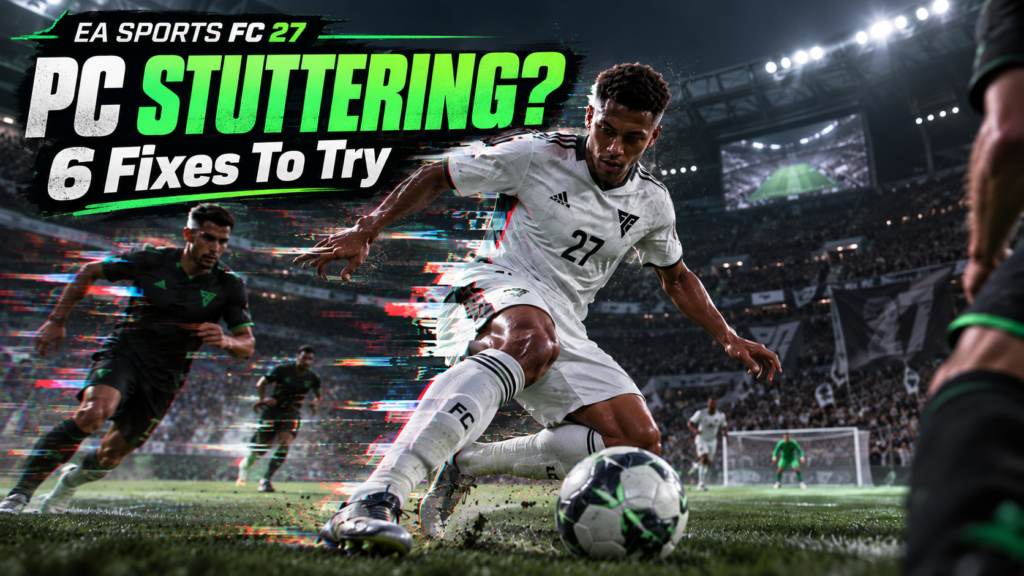
EA Sports FC 27 PC stuttering is showing up in fresh player reports even on powerful hardware, sometimes with stable average FPS and even in offline matches. EA’s own support page specifically recognizes delayed input, slow-motion gameplay and periodic frametime spikes as PC performance symptoms, and it gives six troubleshooting steps worth trying before you start changing random Windows settings from a comment posted at 3:14 a.m.
EA Sports FC 27 PC stuttering: 6 official steps to try
EA says these symptoms can come from graphics settings, resolution, background applications, drivers, power settings, hardware or memory configuration. It recommends testing the following changes one at a time so you can tell what actually helped.
1. Lower your target frame rate
EA’s first recommendation is to reduce the target frame rate, using 60 FPS to 30 FPS as its example. Competitive players are not going to love that suggestion, but it is a useful diagnostic. If the stutter changes dramatically when the cap drops, you have learned something about the performance bottleneck.
2. Reduce demanding graphics settings and resolution
Lower the graphics quality and resolution, then retest. The important part is not to change ten options at once. If EA Sports FC 27 PC stuttering survives every reasonable graphics reduction, raw GPU load may not be the whole story.
3. Close background apps
EA specifically mentions browsers, overlays, recording software, launchers and other applications using CPU, GPU or RAM resources. Shut down the obvious offenders and test the same match type again.
4. Check whether your RAM is running dual-channel
This is the most interesting item in EA’s guide. The company says single-channel system memory can contribute to poor or unstable performance on some PCs. Check your motherboard or PC documentation before moving RAM sticks, and verify your memory layout in BIOS, UEFI or a trusted hardware information tool.
5. Update your GPU drivers
Install the current stable driver for your graphics card. If your problems began immediately after a driver update, do not blindly assume newer is always better, but EA’s official baseline is to test with an up-to-date driver.
6. Check Windows, laptop and GPU power settings
EA recommends reviewing Windows power mode, laptop performance mode and the power or performance settings in your GPU control panel. A laptop quietly deciding that football should be an energy-saving activity is not the tactical innovation anybody asked for.
Why stable FPS does not rule out the problem
EA explicitly notes that slow-motion gameplay can happen even when average FPS looks normal. That lines up with current community reports describing a game that reads as stable on an FPS counter but still feels twitchy, uneven or periodically frozen. Multiple players also report the problem offline, which is useful because it helps separate a local performance issue from network latency.
Our earlier coverage of FC 27 Update 1.0.1 focused on high ping, Hot Join and controller inputs. This is a different problem cluster. If the game feels bad offline or at low latency, start with the PC performance path rather than treating everything as a server problem.
What about the community fixes?
Players are sharing fixes involving V-Sync, external frame caps, Windows Game Bar and reinstalling EA AntiCheat. Some people say those changes helped. Others say the same tweaks did nothing. That is exactly why we would start with EA’s documented process and treat community workarounds as experiments, not guaranteed solutions.
If EA Sports FC 27 PC stuttering continues after all six official steps, document your CPU, GPU, RAM configuration, driver version, display refresh rate, whether the problem occurs offline, and a repeatable scenario. That gives support something far more useful than “game bad pls fix.”
Do not confuse performance stutter with connection lag
EA says high ping, packet loss, jitter and online disconnects can create a different kind of delayed gameplay. Use EA’s Connection Quality tools if the problem only appears online. If the same hitching appears in offline Kick-Off or Squad Battles, the PC troubleshooting guide is the more relevant starting point.
ZerotoBeast take: EA Sports FC 27 PC stuttering clearly is not one single bug with one magic switch. The official guide gives you a clean six-step baseline. If none of it works, stop torturing your settings and preserve the evidence for a proper game or driver update.

