Godot 4.8 beta belongs in a controlled project test before a production upgrade. The official beta 1 announcement, dated October 15, puts the release in feature freeze with attention moving to regression fixes. That makes this a useful time to check your actual scenes, editor tools and export pipeline. It is still a pre-release, not a promise that your project is compatible.
- Use a separate project copy or version-control branch and retain your working editor.
- Test the exact beta build and record its version, renderer, platform and relevant add-ons.
- Compare the same scenes and exported build, not just whether the editor opens.
- This is a source-based test plan, not a benchmark or an independently tested migration result.
1. Make the Godot 4.8 beta test reversible
Start with a known working project state and a backup that you can actually restore. Our recommendation is to open a copy or a dedicated branch in Godot 4.8 beta while keeping the original editor and project available. Write down the working version before import or scene changes begin.
Godot’s version-control documentation explains generated metadata and ignore rules for Godot 4.1 and later. The generated .godot/ cache is different from the source files you need to preserve. Check the project’s existing ignore rules rather than copying instructions for Godot 3 or 4.0. A clean starting diff makes later changes easier to review.
2. Review the specific compatibility changes
The beta announcement has a dedicated breaking-changes section. Read it against the systems your project uses, including custom editor plugins and export scripts. A feature-freeze label does not mean no compatibility changes or regressions remain.
Godot 4.8 beta also brings changes to the editor’s main-screen dock structure. If your workflow depends on a plugin arranging or extending those screens, include that workflow in the test. Open, close and restore the relevant panels, then run the actual tool action you rely on. Record the first failure precisely instead of treating a successful project import as a complete migration verdict.
3. Compare lighting and shader behaviour in fixed scenes
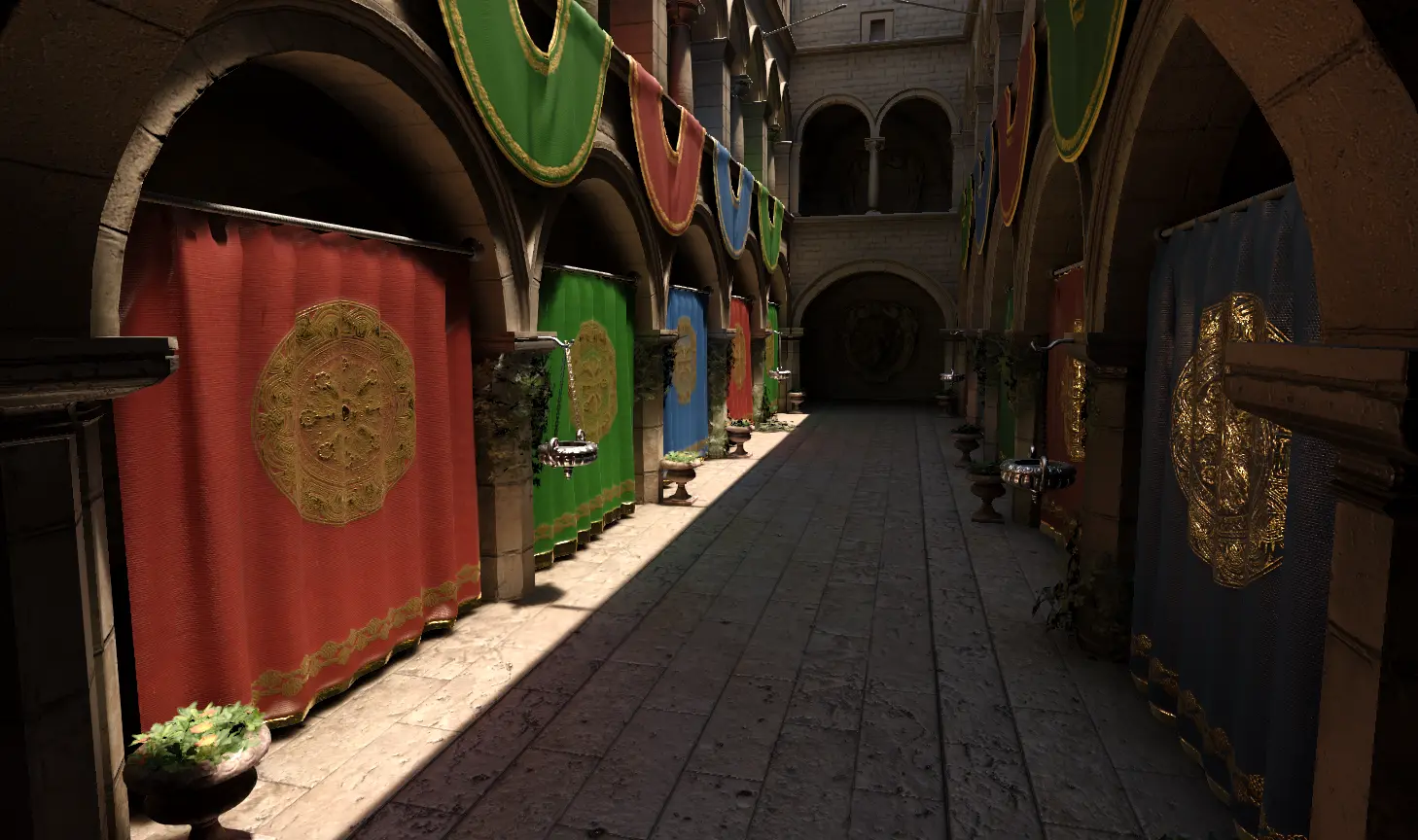
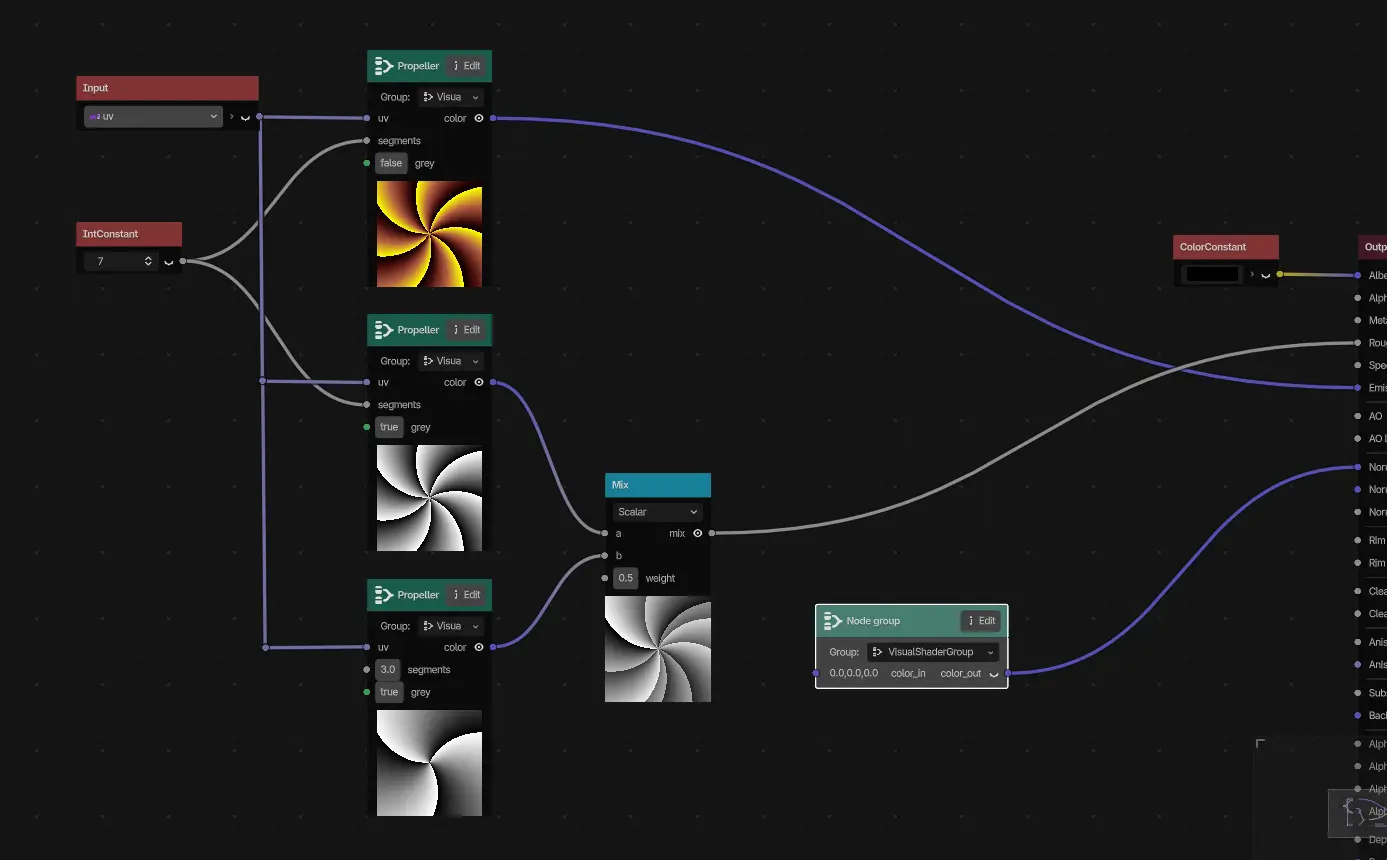
Two examples in the 4.8 feature overview are directional lightmap specular lighting and VisualShader groups or subgraphs. These were discussed during the development snapshots as well; they are not all features introduced for the first time by beta 1.
For your Godot 4.8 beta check, choose a small set of representative scenes and keep the camera, renderer, resolution and quality settings consistent. Compare a baked-lighting scene, a shader-heavy material and a normal gameplay view where relevant. The official illustrations below explain features, not measured results from our project. A prettier isolated image does not establish that the full game is faster or that every material matches its previous appearance.
4. Inspect what changed on disk and in gameplay
After the initial test, review the source-control diff before merging it anywhere. Check changed scenes, resources and project settings against actions you intentionally performed. Group a reproducible compatibility change separately from unrelated cleanup so another developer can understand what happened.
Then repeat a short gameplay route: load a scene, use input, change screens, save and load if applicable, and exercise the systems named in your compatibility review. This route is an editorial test-plan recommendation, not a claim that Godot guarantees those checks cover every project. If Godot 4.8 beta exposes a problem, keep the exact trigger, logs and a small reproduction where feasible instead of committing unexplained changes to the main project.
5. Verify the exported game before deciding
Godot’s export documentation distinguishes a playable project export from exporting only a PCK or ZIP resource package. An editor Play run is not the same test as launching the build you intend to distribute. Use the matching export templates supplied for your chosen beta and the required platform setup, then verify the output on the intended target.
The documentation also separates shareable export presets from confidential export credentials. Keep secrets out of a public reproduction or repository. Record the preset, architecture, output and result so an export failure can be distinguished from a runtime scene failure.
Next step: get the exact build and its templates through the official beta downloads section, run the five checks on your copy and keep or defer the upgrade based on the results. If you use an editor assistant, our Orca AI for Godot guide is related reading. Its approval workflow is a separate question from whether your add-ons support this beta. No release date or production-readiness guarantee is inferred from the beta.
Godot wordmark by Godot contributors, used unmodified under CC BY 4.0. Official press-kit source. No endorsement is implied.