
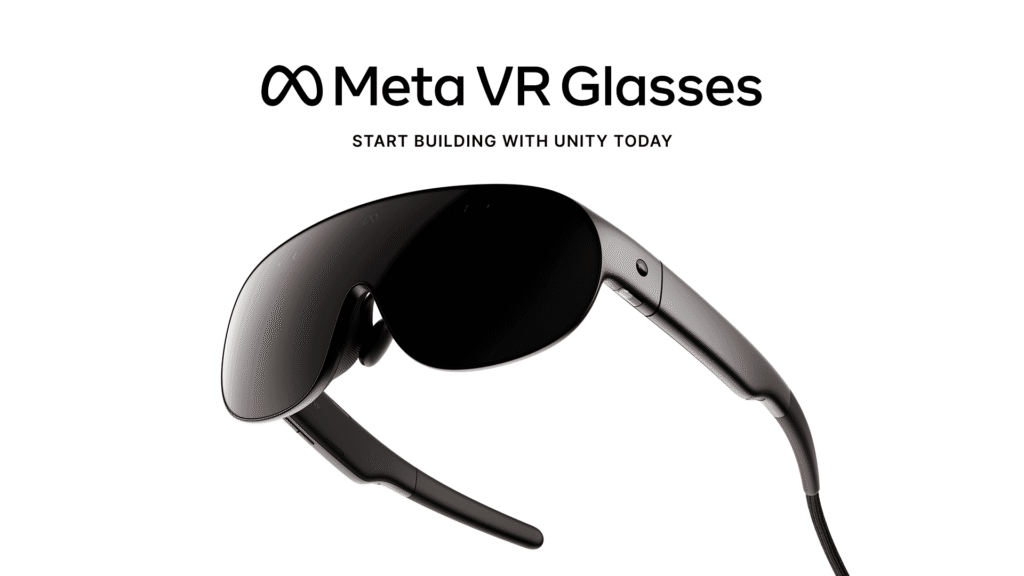
Unity Meta VR Glasses support is available now in Unity 6.6, months before Meta’s new headset reaches retail in spring 2027. For Quest developers, the headline is unusually practical: existing OpenXR projects, assets and code can carry forward with minimal implementation work. The catch is that “it runs” and “it feels designed for the hardware” are two very different finish lines.

Unity Meta VR Glasses support: 6 big wins for developers
1. Existing Quest projects can carry forward
Unity says projects already using OpenXR can bring their existing code and assets forward with minimal implementation required. Meta VR Glasses stay inside the same store and OpenXR ecosystem, and existing Quest apps can run on the device from day one.
That does not mean every Quest interface is automatically a good VR Glasses interface. Unity specifically recommends reviewing UI and interaction design for hand and eye input.
2. You can start before the hardware ships
The retail launch is planned for spring 2027, but Unity Meta VR Glasses support is already live. Unity’s XRI Simulator lets teams validate interactions without physical hardware, which gives developers months to find controller assumptions, awkward reach targets and UI problems before customers do.
3. Eye tracking is part of rendering and input
Eye tracking supports foveated rendering plus “look and tap” interaction. That gives developers two benefits from the same sensor: a way to reduce rendering cost and a new input channel for selecting or targeting objects.
4. Quad Views Rendering creates GPU headroom
Unity says Quad Views Rendering can lower the resolution of each eye’s peripheral region while preserving higher detail at the center, reducing GPU cost without visible quality loss. For standalone VR, every bit of reclaimed GPU budget can become better lighting, denser scenes or more stable frame timing.
5. Spatial audio support goes to 7.1.4
Unity supports 7.1.4 surround output for the device, including height channels. That matters for games, but it is also relevant to training, simulation and enterprise apps where direction can carry information instead of just atmosphere.
6. Unity gives you a defined package baseline
Unity recommends version 6.6 or newer, the OpenXR: Meta package 2.6.1, AR Foundation 6.6.2 or newer, OpenXR Plugin 1.18.0 or newer, plus XR Interaction Toolkit and XR Hands 1.9.0 or newer. Having a published baseline is much better than discovering package compatibility by sacrificing a weekend to the dependency resolver.
The biggest migration risk is interaction design
The hardware uses hand and eye input as the primary interaction model. Unity says developers should still maintain controller support for titles that rely on it, but a controller-first UI may feel clumsy when the physical interface disappears.
That is the real significance of Unity Meta VR Glasses support. The engine migration may be small, while the design migration can be large. Menus, button sizes, hover behavior, confirmation gestures and accidental selections all deserve testing even when the project compiles on the first attempt.
What Unity developers should do now
Start from the Meta Quest Build Profile, update the required packages, test with XRI Simulator, then audit every interaction that assumes a controller. If your app already uses OpenXR and modern XRI tooling, this is a much cleaner path than rebuilding a platform layer from scratch.
If you are already working inside Unity 6, our latest Unity Asset Store deal ranking is also useful for teams deciding what tooling is worth adding to a production project. The lesson is the same: compatibility matters more than a shiny feature list.
Who should care most?
Quest studios have the clearest opportunity because Unity Meta VR Glasses support lets them reuse the most existing work. XR newcomers also benefit from having templates, simulator tools and package guidance before launch. Traditional flat-screen teams should not treat this as a mandatory new platform, but the lower implementation barrier makes experimentation unusually cheap.
ZerotoBeast take: Unity’s biggest win here is not a flashy new renderer. It is reducing the boring migration tax. If an existing Quest project can move over quickly, developers can spend their time on the part users will actually feel: hand and eye interaction that does not behave like a controller UI wearing a fake moustache.

