
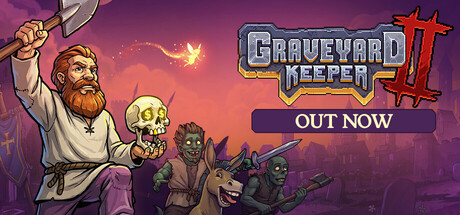
If your Graveyard Keeper 2 demo save is not appearing in the full Nintendo Switch game, you are probably not missing a hidden transfer button. tinyBuild now lists Nintendo Switch demo progress failing to transfer as a known issue and, for the moment, tells affected players to start a new game.
That matters because the official Steam demo pitch says the trial lasts roughly three to four hours and that buyers will be able to continue with their demo save. For anyone who used the demo as a serious try-before-you-buy session, losing that progress is more than a minor inconvenience.
Does the Graveyard Keeper 2 demo save transfer on Switch?
Right now, the official answer is: not reliably. tinyBuild’s known-issues page specifically says that Nintendo Switch demo progress does not transfer to the full game and advises players to start a new game.
That is narrower than saying every platform has broken save transfer. The issue tinyBuild currently calls out is Nintendo Switch. If you are on PC, do not assume Switch-specific guidance applies to your installation.
What should affected Switch players do?
First, keep the demo save intact if you would rather wait and see whether a future patch restores transfer support. Starting a fresh full-game save may be the only official path today, but preserving the old demo data costs little and keeps your options open.
Second, avoid treating unofficial PC or Steam Deck file-copy workarounds as a Nintendo Switch fix. Community members have found manual approaches on Linux-based systems, but that does not mean the same method exists or is safe on Switch.
Third, if you report the issue, include the exact console model, whether you played the demo before buying the full game, and whether the full release detects any save at all. Clean reproduction details are more useful to a developer than a simple ‘my save is gone.’
Why this one hurts more than a normal launch bug
The Graveyard Keeper games are built around routines, crafting chains, upgrades and slow accumulation. Three or four hours can contain a surprising amount of setup work. Repeating that opening stretch is not the end of the world, but it is exactly the kind of friction a demo carryover promise is supposed to remove.
That is also why this is worth answering directly rather than burying inside a general launch roundup. The player question is simple: can I continue my Switch demo save? Today, tinyBuild’s own support page says affected Switch players should not count on it.
Other known issues are worth knowing about
tinyBuild’s current support list also mentions performance degradation in very long sessions, characters becoming stuck around the crematorium, morgue counter problems, console screen tearing and a few inventory or reward edge cases. None of those automatically mean you will encounter them, but they are useful context if something feels wrong after launch.
If you are deciding whether to buy rather than troubleshooting a save, our September 22 release ranking also included Graveyard Keeper 2 among the day’s notable launches.
ZerotoBeast take
This is a narrow bug, but it lands on a high-anxiety part of the experience: player progress. If your Switch demo save does not transfer, the cleanest advice is to preserve the old data, use the official fresh-start guidance if you want to play immediately, and avoid turning platform-specific community hacks into a bigger save problem.
For new Switch demo players, the practical move is even simpler: do not invest extra hours assuming that carryover is guaranteed until tinyBuild confirms the issue is fixed.
CTA: Check the official demo page or visit tinyBuild support for current issue guidance.
Sources
tinyBuild known issues
Official Steam demo page
Official Steam game page

